Restaurant Employee Meal Policy: Setting Rules Your POS Can Track
Build a restaurant employee meal policy your POS can enforce — eligibility, allowances, and approvals tracked in Toast, Lightspeed, or Flipdish.

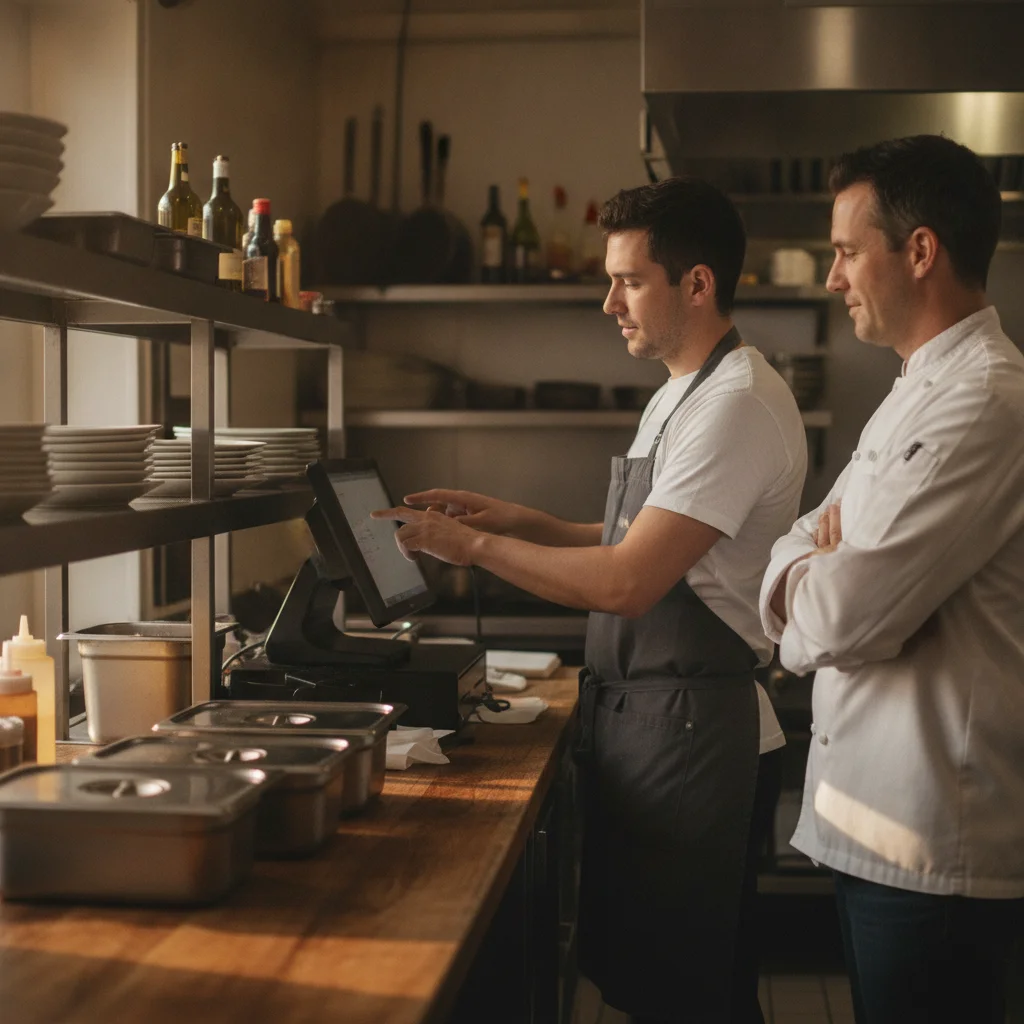
title: "Restaurant Employee Meal Policy: Setting Rules Your POS Can Track" slug: "restaurant-employee-meal-policy-tracking" meta_description: "Build a restaurant employee meal policy your POS can enforce — eligibility, allowances, and approvals tracked in Toast, Lightspeed, or Flipdish." keyword_target: "restaurant employee meal policy" vendor_ids: ["toast", "lightspeed-restaurant", "flipdish"] hero_image: "/blog/restaurant-employee-meal-policy-tracking.webp" hero_image_alt: "Line cook recording a staff meal on a POS terminal beside the kitchen pass while a manager observes, with covered family-meal pans on the counter in a warm restaurant kitchen" design_variant: "warm" published_at: "2026-09-30"
Restaurant Employee Meal Policy: Setting Rules Your POS Can Track
A restaurant employee meal policy should answer what the crew can eat, when they can order, who approves exceptions, and how the meal gets recorded. Start with those decisions. Then check whether your POS can support them without turning every staff meal into a manager interruption.
30-Second Read
Consider Toast if your priority is approval control: its documentation supports manager-restricted discounts and required reasons and comments. If you already use Lightspeed Restaurant O-Series, its Adjustment Feed supports reviewing staff-meal adjustments; consider Flipdish if you need a dedicated staff-meal report and restaurant contribution cap. Pick the workflow that matches your policy, and ask the vendor to demonstrate eligibility checks before assuming they happen automatically.
Policy decisions: eligibility, allowances, approvals
Write the rule a closing cook can understand without finding you first. Lavu’s policy guide recommends specifying meal limits, ordering times, and whether friends or family qualify. Waiter Wallet also recommends identifying excluded dishes and deciding between team meals and discounts.
Eligibility: Decide whether the benefit applies during a worked shift, after that shift, or on days off. Address doubles, takeout, and guests explicitly. Keep the working employee’s meal separate from any friends-and-family benefit in your written rules.
Allowance: Choose a staff menu, a shared family meal, a discount, or a restaurant contribution toward eligible items. Spell out how drinks, modifiers, and excluded dishes are handled. If employees can spend above the allowance, explain who pays the difference.
Approvals: Decide which meals need approval and who can authorize exceptions. A suggested approach is to keep routine eligible meals simple and require an explanation for exceptions. Test that approach against your POS permissions before promising it to the crew.
Use this as a drafting worksheet, replacing the brackets before sharing it:
Eligible employees: [who qualifies and when]. Meal benefit: [approved menu, discount, or allowance]. Ordering window: [when staff may order]. Exclusions: [items, drinks, and modifiers]. Doubles and takeout: [rules]. Guests: [separate benefit, if any]. Recording: [POS workflow and meal recipient]. Exceptions: [approver and required explanation].
This is suggested operational wording, not a claim that every POS can enforce every field.
Side-by-side comparison
The table compares documented workflows. An unconfirmed capability is a demo question, not proof that the product lacks it.
| Policy requirement | Toast | Lightspeed Restaurant O-Series | Flipdish |
|---|---|---|---|
| Record the meal benefit | Named discounts appear in reporting. | Insights adjustment reports cover staff-meal discounts. | Dedicated report covers orders logged as staff meals. |
| Control or explain an adjustment | Require a reason and additional comment; restrict application to managers. | Feed identifies who entered the adjustment. Confirm approval controls separately. | Restaurant contribution can be capped. Confirm exception approvals separately. |
| Review activity | Reasons, approvers, and discounted orders. | Employee applying the adjustment, transaction time, product, and adjustment value. | Default grouping by location, employee, and date. |
| Interpret the financial figure | Discount totals; the Profitability column represents net sales on discounted checks. | Adjustment value represents the amount added or deducted. | Separate covered amount and cost fields; cost depends on correctly entered cost-of-goods data. |
Get the weekly RestaurantTools digest
Vendor-neutral software comparisons and honest data from our scan of 238,000+ US restaurant websites, deduplicated to 71,000+ unique US locations.
Discount value vs. food cost
Do not label your discount total as ingredient spending. Lightspeed defines adjustment value as the amount added or deducted. Flipdish distinguishes the restaurant-covered amount from Total Cost, which depends on correct cost-of-goods entries.
That distinction should shape your review. Ask how much benefit was applied, then separately ask what the food cost. Before relying on a cost report, check the underlying item costs. Before relying on a discount report, check that staff meals have a recognizable label.
Toast adds another naming trap: its Discounts report’s Profitability column shows net sales for discounted checks. Treat that field according to its documented definition, rather than reading it as staff-meal profit.
Tracking staff meals in Toast
Toast lets you assign discount reasons and require both a reason and an additional comment. Our suggested setup is a clearly named staff-meal discount, with reasons that distinguish ordinary benefits from approved exceptions.
To restrict application, Toast documents setting Permissions Level to Manager in the discount’s Advanced Settings. Decide whether that restriction belongs on routine meals or your exception workflow. Try it during a realistic service rehearsal before rolling it out.
For review, open Reports → Cash and loss management → Discounts report. Use the reasons and approver views to investigate exceptions, then inspect the underlying orders.
The practical trade-off: tighter approval rules require someone available to approve. Ask your team to demonstrate what happens when the manager is busy and a meal is otherwise eligible.
Tracking staff meals in Lightspeed Restaurant
This workflow is specifically documented for O-Series. In Insights, open Adjustments, choose Adjustment Snapshot or Adjustment Feed Report, and select the site and date range.
The important identity detail is that the Staff field identifies who entered the adjustment. Do not assume that person ate the meal.
Ask your demonstrator to record a cashier entering a cook’s meal. Then check whether you can identify the recipient as well as the cashier. Confirm the workflow for your specific Lightspeed edition before adopting these instructions.
Tracking staff meals in Flipdish
Flipdish documents the report under Reports → RMS → Costs → Staff Meals, with property and date selection.
The report includes meals logged in the POS as staff meals. Make that logging step part of training. In your demo, test an eligible meal, an over-allowance order, and a correction.
A contribution cap fits a policy built around a defined restaurant allowance. Still, ask the vendor to show how the remainder is collected and how repeat orders are handled. Do not infer those behaviors from the report alone.
What real operators say
In the linked r/restaurantowners discussion, u/jeepersh describes a generous benefit with an explicit recording rule:
By contrast, u/another-damn-lurker describes an informal arrangement:
These are individual accounts, not a representative survey. The useful question for your restaurant is whether everyone understands the same rule—and whether you can review what happened without relying on memory.
Get the weekly RestaurantTools digest
Vendor-neutral software comparisons and honest data from our scan of 238,000+ US restaurant websites, deduplicated to 71,000+ unique US locations.
Decision framework
If you run a restaurant where exceptions need a clear approver, consider Toast’s manager permission setting. If you already operate on O-Series and need transaction review, start with its adjustment reporting. If your policy centers on a restaurant-funded allowance, consider Flipdish’s documented cap and dedicated report.
Before switching systems, run your proposed policy through the current POS. Test an excluded item, an absent approver, a double shift, and a meal entered for someone else. Write down which rules the software enforces and which still need a manager check.
FAQ
Should staff meals be free or discounted?
Choose the benefit you intend to offer, then define eligible items and exceptions. Waiter Wallet’s guidance covers team meals, discounts, and excluded dishes. Neither approach removes the need for a recording rule.
What should happen when someone works a double?
Address it explicitly. Doubles are a question raised in the operator discussion. State whether another meal is available and demonstrate how it is recorded; do not assume a discount button checks shift eligibility.
Should friends and family qualify?
Make that a separate decision. Lavu recommends defining whether family or friends receive discounts. Specify whether the employee must be present and how the benefit differs from a working-shift meal.
Does a staff-meal discount report show food cost?
Do not assume so. Flipdish explicitly makes its staff-meal cost figure dependent on correctly entered cost-of-goods data. Ask what each field measures before using it in a food-cost review.
For practical restaurant policies and documented software workflows, join the RestaurantTools.ai newsletter.
Disclosure
RestaurantTools.ai compares vendors using documented capabilities and operational trade-offs. We may earn a commission through affiliate links; the sources linked in this article are direct documentation and discussion links, without affiliate tracking. Recommendations here are editorial judgments, not hands-on test results.
Sources
- Toast: Required discount reasons and comments — typ: vendor
- Toast: Manager permissions for discounts — typ: vendor
- Toast: Report on Discounts and Promo Codes — typ: vendor
- Lightspeed Restaurant O-Series: Adjustment reports — typ: vendor
- Flipdish: POS Staff Meals Report — typ: vendor
- Waiter Wallet: Restaurant employee meal policies — typ: external
- Lavu: How to set up restaurant employee meal policies — typ: vendor
- r/restaurantowners: What's your meal policy for employees? — typ: reddit
About RestaurantTools.ai Research Team
RestaurantTools.ai is a vendor-neutral comparison platform for restaurant software. Our rankings are grounded in proprietary adoption data from scans of 238,000+ US restaurant websites, deduplicated to 71,000+ unique US locations (see our restaurant technology statistics), pricing verified against vendor pages, and operator reviews - AI-assisted research under strict no-fake-data editorial rules, so independent operators can pick tools without sitting through 5 demos.
You might also like

Best POS for a High-Volume Full-Service Restaurant: Four Options Compared
Find the best POS for a high-volume full-service restaurant using a practical framework for smoother service, kitchen coordination, reliability, and rollout.

Restaurant Payment Processor Holds and Account Closure: Square vs Toast vs Stripe
Compare Square, Toast, and Stripe for restaurant payment processor holds and account closure risks, appeals, documentation, and backup readiness.

Best Restaurant POS Support for Independent Owners: Four Systems Compared
Compare the best restaurant POS support for independent owners across service channels, restaurant types, and owner-reported trade-offs.