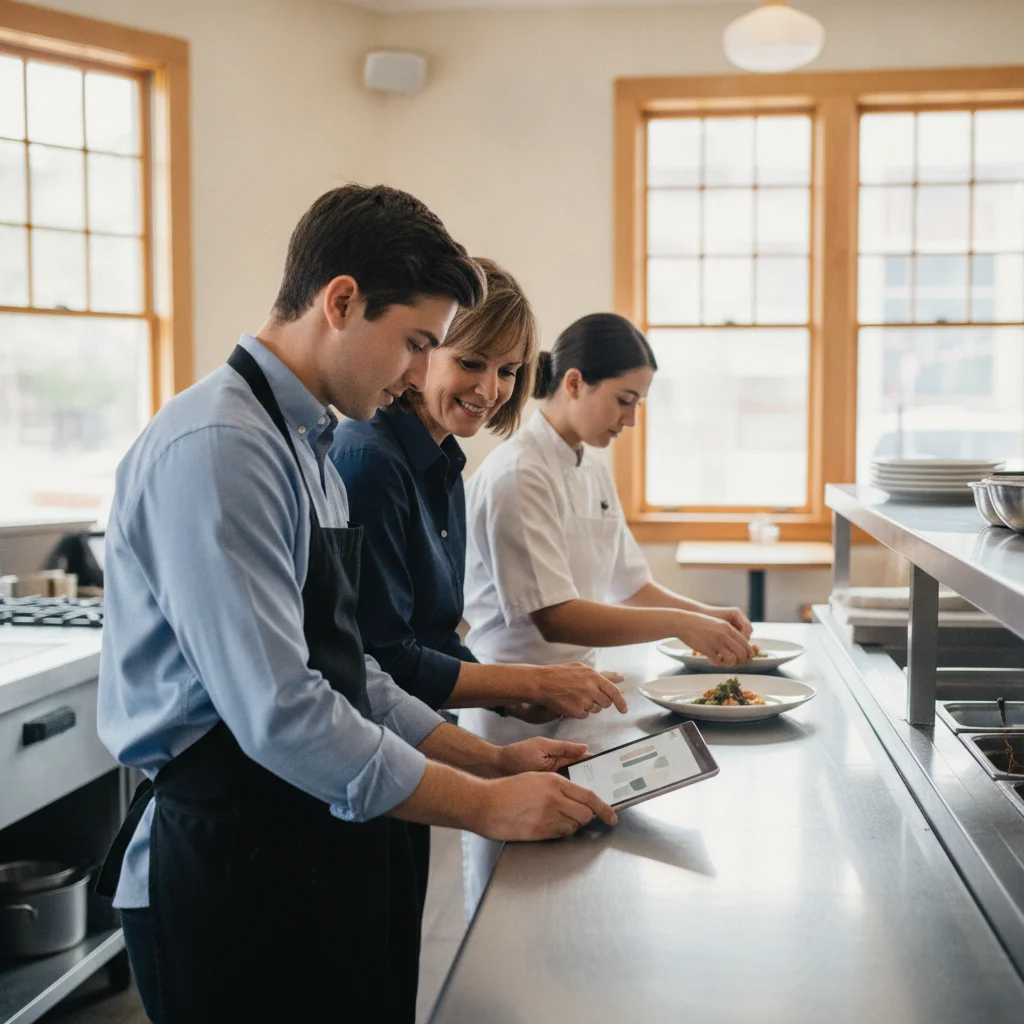
Choosing restaurant onboarding software starts with a practical question: what should a new host or cook be able to do without someone standing beside them? Bring that checklist to the software demo. Then compare how each system assigns lessons, holds your house procedures, and records a manager’s assessment.
30-Second Read
Consider Schoox if you want to spread training across an onboarding schedule using its time-based and activity-based flows. Consider Typsy if you want to combine hospitality training with your own operational videos and role-specific playlists. Put Restaurant365 on your shortlist if your priority is a training workflow with trainer checks and employee self-checks.
Host & cook onboarding checklist
Use the following as a suggested starting checklist. Adjust it to your menu, service style, equipment, and approved operating procedures. These are proposed training tasks, not claims that any vendor includes a ready-made course covering your restaurant’s exact setup.
| Training stage | Host task | Cook task | What the trainer should record |
|---|---|---|---|
| Orientation | Find the floor plan, shift lead, and guest-service procedures | Find station instructions, recipe references, and the kitchen lead | Employee can locate the right information and person |
| Watch a demonstration | Observe a greeting, seating decision, and server handoff | Observe station setup and preparation of a menu item | Demonstration completed; questions discussed |
| Explain the procedure | Explain how to handle a changed reservation or seating request | Explain where to find the current recipe and how to raise a substitution question | Understanding checked; gaps identified |
| Practice with supervision | Handle a simulated arrival and communicate a wait | Prepare an item using your approved recipe and presentation standard | Specific steps completed correctly or needing another attempt |
| Handle an exception | Escalate a guest complaint to the right manager | Escalate a ticket question or unavailable ingredient | Employee follows the restaurant’s escalation procedure |
| Review readiness | Run the assigned host responsibilities under observation | Run the assigned station responsibilities under observation | Trainer’s decision, coaching notes, and follow-up task |
Give hosts a path built around the door
For a host, start with the floor plan, greeting, reservation process, and communication with servers. Then introduce situations that require judgment: a guest arrives early, a table is unavailable, or the quoted wait changes.
Write the expected action in plain language. A task such as “explain a changed wait to a guest and notify the shift lead” gives the trainer something specific to observe. Avoid marking the entire host role complete because the employee finished a general service lesson.
Bring your actual seating procedure to the demo. Ask the salesperson to add it, assign it to a host, and show where the trainer would record the practice result. Have your floor manager try the same workflow.
Give cooks a path built around the station
For a cook, organize the checklist around your station setup, recipe references, preparation sequence, presentation standards, and handoff to the next person. Use your approved food-safety procedures for the relevant tasks.
Choose a representative menu item for the demonstration. Ask the trainee to locate the instructions, explain the sequence, and perform the task under supervision. Record the step that needs coaching rather than a vague note that the employee needs more training.
Keep learning completion and station readiness as separate decisions in your own training plan. Require a named trainer to review readiness before you schedule the employee to work independently.
Decide what happens after a missed step
Before choosing software, write down your preferred follow-up process. Who coaches the employee? Who assigns another practice attempt? Where should the next trainer find the note?
Include that scenario in every demo. Ask to see an incomplete lesson, a practice task needing another attempt, and a manager handing the follow-up to a colleague. This is a useful way to judge the workflow you will actually use between shifts.
Vendors compared
Keep hiring paperwork and job training separate on your buying checklist. HigherMe describes digital onboarding for tax forms, company documents, and direct deposit. Restaurant365 also offers paperless employee onboarding. Those capabilities address a different purchasing requirement from teaching your host the seating procedure.
For learning, Schoox documents role-specific training and observation of on-the-job skills. Typsy documents role-specific learning pathways and automated assignments for new starters. R365 Training includes courses, quizzes, training checklists, media uploads, and learning tracks.
Ask each vendor to demonstrate your training checklist. If you also need hiring documents, include that as a separate requirement in the written proposal.
Side-by-side feature table
| Capability | Schoox | Typsy | Restaurant365 |
|---|---|---|---|
| Training by role | Role-specific training programs | Learning pathways for each job role | Assignments by role, position, or location |
| Assignment approach | Time-based and activity-based onboarding flows | Automated training assignments for new staff | Learning-track assignments and manager-assigned training |
| Your own procedures | Custom training content | Uploaded videos, documents, and presentations | Media uploads and course configuration |
| Practical assessment approach | On-the-job skills observation and progress tracking | Task-demonstration videos and completion tracking; demonstrate your required trainer approval workflow during the demo | Training checklists with trainer and self-checks |
| Progress visibility | Training reports | Onboarding reports and learning data | Assigned and completed training views; location overviews |
For the practical-assessment row, pay attention to the action being recorded. Ask the vendor to show how a manager distinguishes an employee watching a demonstration from performing the task successfully.
Get the weekly RestaurantTools digest
Vendor-neutral software comparisons and honest data from our scan of 238,000+ US restaurant websites, deduplicated to 71,000+ unique US locations.
Pros & cons: Schoox
Reason to consider it: Schoox’s onboarding module supports scheduled delivery and activity-based progression, including training for employees changing jobs. Its documentation also identifies a specific rule: due dates apply to assigned training in time-based flows, not invitations to self-enroll.
That makes Schoox worth a demo if you want to pace orientation, supervised practice, and later development. For example, sketch out what a new host should learn before handling arrivals and what can wait until they have practiced the basics. Ask the vendor to build that sequence with you.
Trade-off to weigh: You need to decide how the sequence should work. Treat required training, optional development, and role changes as separate setup decisions. Have the person who will maintain the program make a change during the demo, then check what the employee sees.
Also ask a working trainer to record an observation. The system’s on-the-job training capability is relevant to station readiness; your acceptance test should be whether the trainer can document a useful result without stopping to decipher the interface.
Pros & cons: Typsy
Reason to consider it: Typsy lets you combine its training videos with your own operational content and assign the combination through playlists. That is a useful approach when you want general hospitality instruction alongside the way your restaurant handles a particular task.
For the host path, bring your welcome procedure and a short example of the server handoff. For the cook path, bring an approved station demonstration. Ask the vendor to put those materials into separate employee learning paths.
Trade-off to weigh: Budget time to create and maintain the house-specific material. Assign an owner to each procedure and decide who approves a replacement when the menu or service process changes.
Typsy describes reports for assigned training and self-directed learning. During the demo, ask how your manager would record a supervised practice result alongside that learning history. Make the exact trainer approval process a purchasing requirement if you need it.
Pros & cons: Restaurant365
Reason to consider it: Restaurant365’s implementation guide explicitly covers trainer and self-checks, role or location assignments, and reviewing checklist submissions. That gives checklist-led operators a concrete workflow to test.
Ask the vendor to build a host practice checklist and a cook station checklist. Have the employee complete their part, then let the trainer review the result. Include an unsuccessful attempt so you can see the follow-up process.
Trade-off to weigh: Plan the rollout as an operational project. R365’s guide includes administrator setup, permissions, learning tracks, and manager preparation. Name the person responsible for those decisions before setting a launch date.
For existing customers, R365 Training is accessible through R365 navigation and its mobile app for users with access. Ask which training access and onboarding products your proposal includes.
Restaurant365 also describes POS, vendor, bank, and other connection options. Ask specifically how employee roles and locations will reach training; a broad integration offering is not a substitute for demonstrating that handoff.
Pricing and implementation questions
Request a written proposal built around your staffing pattern. Include active employees, seasonal hires, locations, managers who need reporting access, and the content you want to upload.
Ask how the bill changes when someone leaves, returns, transfers locations, or takes another role. Request separate line items for implementation, content access, integrations, support, and any additional modules offered. These are questions to put to every vendor, not assumptions about their charges.
Use the same pilot for each finalist. Give a host and a cook their respective assignments, have a manager review progress, and change a procedure after it has been assigned. Then ask what the employee must do with the updated version.
Include the manager’s work in your comparison. Record how long it takes your team to add a hire, correct a role, assign practice, and find an unfinished task. Use your pilot results when weighing the subscription quote.
What real operators say
Ask for reference conversations with operators whose service style and training responsibilities resemble yours. Speak with the person who actually assigns training and follows up between shifts.
Ask which tasks still require a separate spreadsheet, how a missed practice assessment gets resolved, and who keeps procedures current. Request a recent example of a new host or cook moving through the program. Treat that conversation as a reference check; it should help you decide what to test in your own restaurant.
Get the weekly RestaurantTools digest
Vendor-neutral software comparisons and honest data from our scan of 238,000+ US restaurant websites, deduplicated to 71,000+ unique US locations.
Decision framework
If you run a restaurant group with staged training or frequent role changes, consider Schoox. Its onboarding flows support scheduling and job-change training. Test whether your managers can maintain the sequence you need.
If you want hospitality lessons alongside your house procedures, consider Typsy. Its combined operational-training playlists support that approach. Make practical assessment and procedure maintenance part of the demo.
If your training program revolves around trainer checks, consider Restaurant365. Its implementation documentation includes trainer and self-checks. Walk through the employee and trainer actions before deciding.
If your immediate problem is unfinished hiring paperwork, start with that requirement. HigherMe’s onboarding package and Restaurant365’s paperless onboarding address that work. Keep your station-training requirements on a separate checklist.
For a small team, give extra weight to the person who will own the system. Let that manager make assignments and review results during the pilot. Choose based on the work they can reliably keep up with.
FAQ
Can I assign different onboarding to hosts and cooks?
Yes. The vendors describe relevant assignment options: Schoox offers role-specific training, Typsy supports pathways by job role, and Restaurant365 documents role, position, or location assignments. Test an employee who works across roles before finalizing your setup.
Can I use my own restaurant’s procedures?
Yes. Schoox describes custom content, Typsy supports uploaded operational materials, and R365 Training includes media uploads and course configuration. Bring a real procedure to the demo and practice replacing it with an updated version.
How should I assess whether a cook is ready?
Use an observed task based on your approved station procedures. Record what the cook performed, where coaching was needed, and who made the readiness decision. For software support, examine Schoox’s on-the-job observation and R365’s trainer-check workflow. Apply the same practical test to every finalist.
Can onboarding lessons be spread out over time?
Schoox explicitly documents time-based delivery of courses and learning paths. Sketch your intended sequence before the demo. Ask each vendor to show how assignments, deadlines, and practice opportunities fit that schedule.
Does paperless onboarding include job training?
Ask for those capabilities separately. Restaurant365 describes paperless onboarding and documents R365 Training as its learning management system. Have the proposal identify the products and access needed for both workflows.
Get practical restaurant software comparisons and buying checklists in the RestaurantTools.ai newsletter.
Disclosure
RestaurantTools.ai compares vendors independently and may earn commissions from affiliate links. Affiliate relationships do not determine recommendations. Vendors purchasing B2B research receive no influence over editorial coverage, rankings, or recommendations; buying research does not purchase inclusion.
Sources
- Schoox restaurant learning management system — typ: vendor
- Schoox: Utilizing the Onboarding Module — typ: vendor
- Typsy staff induction and onboarding — typ: vendor
- Typsy operational training — typ: vendor
- R365 Training documentation — typ: vendor
- R365 Employee Training Implementation Checklist — typ: vendor
- HigherMe paperless employee onboarding — typ: vendor
- Restaurant365 employee onboarding — typ: vendor
- Restaurant365 partner ecosystem — typ: vendor

About RestaurantTools.ai Research Team
RestaurantTools.ai is a vendor-neutral comparison platform for restaurant software. Our rankings are grounded in proprietary adoption data from scans of 238,000+ US restaurant websites, deduplicated to 71,000+ unique US locations (see our restaurant technology statistics), pricing verified against vendor pages, and operator reviews - AI-assisted research under strict no-fake-data editorial rules, so independent operators can pick tools without sitting through 5 demos.
You might also like
Best AI Restaurant Forecasting Software: A Vendor-Neutral Operator Guide
Compare the best AI restaurant forecasting software by operator fit, forecasting scope, integrations, and documentation quality—without unsupported performance claims.

Best Restaurant Accounting and Payroll Software: Specialized vs General-Purpose?
Compare the best restaurant accounting and payroll software for your business. See how Restaurant365, QuickBooks, Gusto, and ADP stack up on price and features.
Questions to Ask When Buying an Existing Restaurant: Software & Data Access
Use this due diligence checklist when buying an existing restaurant to verify software contracts, POS account ownership, and historical data transfer. Avoid costly tech surprises.