Restaurant POS Load Testing Checklist: Rehearse Orders, Kitchen Routing, and Payments
A restaurant POS load testing checklist for operators: rehearse simultaneous orders, kitchen routing, and payments before service, and log results you can act on.

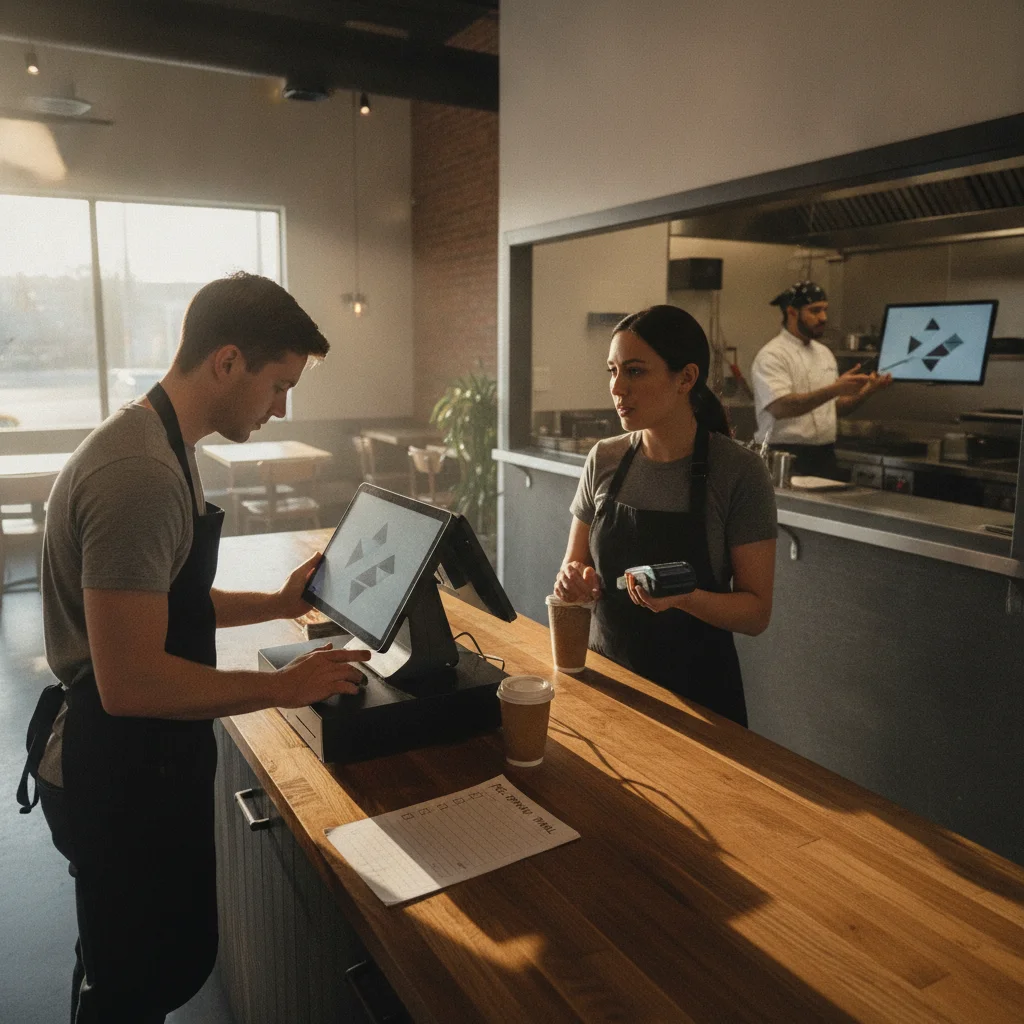
This restaurant POS load testing checklist is a rehearsal for the rush: staff entering orders together, tickets reaching the right kitchen stations, and payments closing correctly. Use it before launch or a major setup change. The goal is a written record of what your restaurant’s configuration handled, where it stalled, and what needs fixing before guests arrive.
30-Second Read
If your shortlist centers on handheld ordering and kitchen coordination, consider Toast for its documented handheld-to-KDS workflows; if keeping your existing network matters, consider Square, which says it does not require proprietary Wi-Fi. If delivery orders and custom combos drive your counter service, consider Lightspeed Restaurant for those documented QSR workflows. Choose after running the same rush rehearsal on the proposed setup: the product pages linked here do not establish which system will handle your workload fastest.
What a POS load test can and can't prove
For this checklist, a load test means asking your actual staff to perform overlapping service tasks on the configuration you intend to use. Treat the steps below as a recommended operating procedure. They are not measured results for Toast, Square, or Lightspeed, and the suggested acceptance rules are not vendor performance guarantees.
Start with a practical question: can the team enter, prepare, collect, and reconcile the orders you expect during a rush? Keep the scope grounded in your floor. A café needs a different order script from a dining room with courses, transfers, and separate bar tickets.
KitchenHub’s implementation checklist calls for checking dine-in and takeout orders, kitchen print routing, tips, payment processing, reports, and admin access. Use those functions as the backbone of the rehearsal. Then overlap them so the cashier is taking payment while another employee sends an order and the kitchen works through incoming tickets.
Separate correctness from speed. A ticket that arrives promptly at the wrong station fails the routing check. A correct ticket that arrives after staff have started asking where it went needs a timing review. Record both outcomes instead of giving the whole run a single impression such as “felt fine.”
A successful rehearsal supports a narrow conclusion: this configuration completed this workload under these conditions. Record the menu, devices, software versions, integrations, network state, and staff roles alongside the result. Do not turn that result into a claim about every installation of the same POS.
Likewise, keep separate approval tracks for payment security, hardware compatibility, and vendor support requirements. This service rehearsal does not certify those areas. Ask the vendor or installer to confirm the supported configuration before you begin.
The useful deliverable is a short list of observed problems with enough detail to reproduce them. “Kitchen was slow” is hard to act on. “The modifier appeared at expo but was missing from the intended prep station” gives the installer something specific to investigate.
Pre-test setup: network, terminals, and test data
Write down the service you are trying to reproduce
Pull a representative busy period from your own operating records if you have them. Note the order mix, active terminals, handheld usage, payment methods, and ordering channels. Use that workload to build your script rather than choosing a transaction target because it sounds impressive.
For a new opening, write down your forecast and label it as a forecast. Have the manager explain the assumptions: expected counter traffic, tables turning, pickup demand, and which employees will share devices. Keep forecast-based results separate from rehearsals based on trading history.
Prepare order cards using your actual menu. Include straightforward orders alongside the combinations that need attention: modifiers, substitutions, separate prep stations, takeout instructions, and corrections. For each card, write the expected check contents and kitchen destinations before anyone enters it.
Inventory the configuration
Record device models, POS application versions, payment equipment, printers, KDS stations, and enabled integrations. Include the location of each device and its connection method. Keep the configuration attached to the results so a later hardware swap does not quietly inherit an earlier pass.
Toast’s hardware page lists countertop terminals, handhelds, kiosks, kitchen displays, guest displays, and card readers. Square’s quick-service page lists Register, Handheld, Kiosk, Stand, KDS, and Terminal. Treat those as product options; ask the supplier to identify the exact combination included in your proposal.
For Lightspeed, use restaurant-specific documentation and the equipment specified for your Restaurant installation. Its restaurant QSR page describes connected kiosks, customer-facing displays, payment terminals, and KDS workflows. Do not use a retail equipment list as approval for a restaurant configuration.
Agree on the network conditions
Draw the path between the POS devices, kitchen equipment, router, and internet connection. Identify any backup connection. Ask the installer to approve how you will interrupt the internet for the outage scenario while preserving the equipment and connections that scenario is meant to test.
Keep the initial run on the intended service network. Record any changes made during troubleshooting. If you move a terminal, replace a connection, or alter the network setup, identify the next run as a changed configuration.
Square says its restaurant setup does not require proprietary Wi-Fi. That is a setup option to discuss, not a reason to skip checking your own installation. For Toast, ask whether the Toast Router cellular backup described on its hardware page is included and active in your configuration.
Arrange test orders and payments
Ask the vendor which training or test workflow exercises the functions you need. Have them identify any differences from live ordering, kitchen routing, payment handling, and reporting. Record those differences as limits of the rehearsal.
Agree on how test orders will be identified and cleared. For payment steps, use the processor-approved method and document whether any real charges, refunds, or fees are involved. Keep card details out of the result log; use transaction references and status labels.
Give each person a job
Assign order entry, kitchen observation, payment handling, and result logging. Ask staff to work in their usual service roles where possible. Have an observer record problems so the cashier does not need to stop serving the test queue to write a report.
Bread’s restaurant requirements checklist recommends having a service manager test check transfers and table assignments, while a finance user reviews settlement, sales, discounts, refunds, tips, and payment reports. Follow that division where it fits your operation. The person who closes the books should help judge whether the rehearsal is actually complete.
Scenario 1: simultaneous order burst
Establish a quiet baseline
Run the order cards without overlapping activity first. Confirm that the menu configuration, modifiers, prices, and destinations match your expectations. Record the same timestamps you plan to collect during the busy run.
If an order is wrong during this quiet pass, fix the configuration and repeat it before adding load. Otherwise, your busy run will mix an existing setup problem with whatever happens when staff work simultaneously.
Have employees use their normal permissions. If a correction needs a manager, include that handoff in the script. Keep a note of any action that only worked because an installer or administrator stepped in.
Start the overlapping work
Have staff begin their assigned scripts on a shared cue. Keep the mix close to your intended service: counter orders alongside handheld entry, payment activity, and any approved test orders from connected channels.
Toast describes third-party delivery orders reaching the POS and handheld ordering connected to KDS. Square describes dine-in, takeout, delivery, and catering orders in its integrated POS. Lightspeed describes delivery orders reaching the POS and online orders consolidated on a screen. Include the channels you actually plan to activate, then follow each order through your own setup.
Do not count an unused channel as tested because it appears in a product description. Mark it outside the run’s scope. If an integration is still awaiting setup, keep its acceptance check open.
Include ordinary service corrections
Build corrections into the order cards: change a modifier, remove an item, adjust the order type, or request a check transfer where supported. Decide in advance what should happen to any kitchen ticket already sent.
Watch what staff do when the screen pauses or an action appears uncertain. Record whether they wait, repeat the action, ask a manager, or find the order elsewhere. Preserve the order references so you can inspect the actual result instead of guessing whether a repeated tap created another order.
Use these checks during the burst:
- Each scripted order has a traceable POS reference.
- Items, modifiers, and service instructions match the order card.
- Corrections produce the expected final check and kitchen instructions.
- Orders entered through connected channels remain identifiable.
- Delays and repeated actions have timestamps and device names.
- Staff can explain the next step when an action appears incomplete.
Finish the burst before scoring it
Keep the observer at the kitchen until all expected tickets have been accounted for. Match the original order cards to the POS records and destination tickets. Investigate missing, unexpected, or repeated records before marking the scenario complete.
Use the same order cards for the rerun after a fix. If you change both the menu script and the configuration, record that clearly. You want to know whether the original problem has gone away.
Get the weekly RestaurantTools digest
Vendor-neutral software comparisons and honest data from our scan of 238,000+ US restaurant websites, deduplicated to 71,000+ unique US locations.
Scenario 2: kitchen routing and KDS under load
Start with a destination map. For each test item, list the station that should receive it and whether expo should see the complete order. Include modifiers and service instructions in the expected output.
Toast describes automatic routing to the right station and food-ready notifications. Square describes automatic ticket routing to prep stations through its KDS. Lightspeed’s QSR page includes KDS as part of its restaurant workflow. Those descriptions give you features to exercise; your destination map defines what counts as correct in your kitchen.
Observe the station, not just the sending screen
Have the kitchen observer record when each ticket first becomes visible or prints completely. Compare its contents with the order card. Check the station, order type, modifiers, and any pickup or table identifier your team needs.
Keep ticket arrival separate from food preparation. This rehearsal should show whether the order reached the cook correctly. If you also rehearse cooking and packing, record those stages separately so a long preparation time is not reported as a POS transmission delay.
For printers, collect the physical tickets in order. For KDS, record the ticket reference and the observed state. Use screenshots only where permitted and avoid capturing customer or payment information.
Work through a growing queue
Let orders accumulate according to the service script, then ask kitchen staff to work through them using the configured controls. Observe whether they can find the next ticket, read the modifications, and identify orders from different channels.
Include an amendment to an order already in the kitchen. Ask the cook and expo to describe what changed and what action they would take. Judge the result against the behavior agreed with the installer, including any manual step your team must perform.
If you use Square’s sold-out workflow, rehearse it explicitly: Square says its auto-86ing synchronizes menus and inventory. Choose a test item, trigger the configured change, and inspect each relevant ordering surface. Record where the change appeared and where it still needed attention.
Include the work beyond the main line
If catering overlaps with regular service, include the handoff your staff actually uses. Toast’s catering page lists prep lists, pack sheets, and labels. If those tools are part of your setup, verify the documents against the catering order while the normal kitchen queue is active.
Do not assume a successful counter-to-kitchen test covers catering, a bar printer, or a separate pickup area. Give each required destination an explicit result. A station omitted from the script should remain untested in the report.
Scenario 3: payments and offline mode
Run the online payment scenario while orders are still moving. Use the approved test method to exercise the payment and tip flows you intend to offer. Include corrections, voids, or refunds only through the workflow your provider has approved for the rehearsal.
KitchenHub’s implementation checklist includes payment processing, tips, voids, and refunds. Use that coverage to build your payment script, then define the expected transaction and check status for each action.
Track the full payment outcome
Record the point when payment begins, the status displayed, and the resulting check state. Afterward, match the transaction reference to the relevant report. If the payment remains pending, leave it pending in the log until its final status is known.
If the device appears to stall, have the employee follow the provider’s documented recovery procedure. Record what they saw and what they did. Do not instruct staff to keep charging until a receipt appears.
Check the ordinary service details too. Can the employee tell whether the guest has paid? Is the tip recorded as expected? Does the receipt match the check? Can the manager locate the transaction without relying on the cashier’s memory?
Separate backup connectivity from offline operation
Toast says its Router provides cellular service with automated backup. If your setup uses that capability, record whether the outage rehearsal switched to the backup connection. Label that result as a backup-connectivity test.
Toast also says its offline mode supports taking cards and sending orders to the kitchen. Before attempting that scenario, have Toast or your installer confirm the required settings, supported devices, kitchen behavior, and recovery steps for your installation.
Do not use a successful cellular switchover as the result for a separate offline scenario. Write down the connection state that actually occurred.
Read the payment qualifications closely
Square’s coffee-shop page states that offline payments are processed after reconnection and warns that payments will be declined if the device is not reconnected within 24 hours of the first offline payment. The same footnote assigns the seller responsibility for expired, declined, or disputed offline payments and excludes first-generation Square Reader for contactless and chip, versions v1 and v2.
Use those published qualifications as questions for your exact hardware and app configuration. Reconnect promptly during the rehearsal, inspect the queued transactions, and record their final outcomes. Do not treat a displayed offline acceptance as the final payment result.
Lightspeed’s restaurant QSR page advertises offline mode, but the description linked here does not specify the full payment and kitchen-routing conditions. Get the instructions for your Lightspeed Restaurant series and payment configuration before setting the outage test’s expected behavior.
Test recovery as part of the same scenario
Restore the approved connection and follow the provider’s recovery procedure. Match the orders entered during the interruption to the kitchen records and payment outcomes. Record unresolved queues, unexpected tickets, pending payments, and manual corrections.
Have a named manager own the reconciliation. The end of the outage is a checkpoint; the scenario stays open until the orders and payments have been accounted for.
Recording results: metrics and log template
Keep the log small enough to use during a rehearsal and specific enough to support a fix. Record observed values rather than filling cells with estimated results afterward. If nobody captured a timestamp, mark it unrecorded.
Define your measurements before starting:
| Measure | Start and finish | What to record alongside it |
|---|---|---|
| Order-entry duration | Entry begins to send action | Order complexity, device, operator assistance |
| Kitchen-arrival delay | Send action to expected destination appearance | Station, printer or KDS, correctness |
| Payment response time | Approved payment step begins to displayed response | Payment method, connection state, status |
| Completed workload | Orders completing the agreed path during the run | Run duration, active devices, channel mix |
| Exceptions | Each missing, incorrect, repeated, or unresolved event | Reference, timestamp, staff action |
| Recovery completion | Connection restored to reconciliation completed | Pending items and manual work |
These are suggested measurements for your rehearsal, not published vendor benchmarks. Set your acceptable timings before testing, using your service requirements and any written commitments in the proposal. Keep correctness requirements explicit even when timing targets differ by workflow.
Copyable run log
| Run / order reference | Configuration and network state | Scenario / device | Expected result | Observed result and timing | Payment or ticket reference | Status | Owner / next action |
|---|---|---|---|---|---|---|---|
| Enter identifiers | Record versions, equipment, and connection | Name the workflow and terminal | Describe the intended outcome | Enter observations | Use non-sensitive references | Pass / fail / untested / pending | Assign follow-up |
Attach a run summary with the planned workload, actual completed workload, staffing, start and finish times, and any interruptions. Record the quiet baseline separately from the overlapping run. Keep the original observations when you add a diagnosis later.
For timing, retain individual observations as well as any summary. Inspect the slowest completed cases and list unfinished cases separately. Do not let an average hide the order that never reached the kitchen.
Set practical acceptance rules
A useful proposed rule is that every test order must be accounted for, every required destination must receive the correct information, and every test payment must have a known outcome. Any exception needs an owner and a disposition before the manager signs off.
Distinguish a failed check from an untested one. A delivery connection that was unavailable during rehearsal has not passed. A payment still waiting for reconciliation has not finished. A workaround should be written down and practiced before it becomes part of the accepted operating procedure.
After a fix, repeat the affected scenario and the connected workflow. For example, if you change routing, check the originating order and the kitchen result together. Keep the earlier failure in the record so the team can see what changed.
Close the day, not just the tickets
Ask the person responsible for reconciliation to compare the order records with sales, discounts, refunds, tips, and payment reports—the same review areas identified in Bread’s checklist.
Then rehearse the closing routine appropriate to your setup. Record any open checks or unresolved payment states and how the manager handles them. Do not declare the launch ready while the closing team is still trying to explain the test transactions.
Vendor-documented limits: Toast, Square, Lightspeed
This comparison lists documented capabilities and the questions to resolve during your trial. It does not rank measured throughput. The linked product pages do not provide a common, reproducible workload for comparing these installations.
Turn the comparison into a buying decision
If you run a dining room where handheld entry and kitchen coordination are central, consider Toast’s documented handheld and KDS workflow. Make the trial reproduce your modifiers, destinations, and service corrections. The acceptance condition is your completed workflow on the proposed configuration.
If you run a café and want to retain your existing network, consider Square’s network flexibility and onboarding options. Put the proposed payment hardware into the rehearsal and review the offline qualifications with whoever will manage an outage.
If you run a counter-service operation with delivery traffic and combo-heavy ordering, consider Lightspeed’s custom combos, connected kiosks, and consolidated online-order workflow. Make those workflows carry the trial instead of accepting a demonstration built around simple walk-up orders.
For any vendor, keep commercial terms and performance results on separate lines in your decision sheet. Ask for an itemized proposal covering the configuration you tested. A different package, device mix, or integration set should not inherit the trial’s result without review.
Get the weekly RestaurantTools digest
Vendor-neutral software comparisons and honest data from our scan of 238,000+ US restaurant websites, deduplicated to 71,000+ unique US locations.
What real operators say
This guide does not include independent operator testimonials or a customer-consensus ranking. The recommendations above are a rehearsal method, not a report of hands-on results from our own restaurant.
For a reference call, ask the vendor to connect you with an operator whose service resembles yours. Ask what happened during their busiest overlap of ordering, kitchen work, and payments. Follow up on the equipment involved, the workaround, and whether the problem was resolved.
Bring the conversation back to your test sheet. An operator’s experience can suggest a scenario worth rehearsing; your own result should decide whether that scenario passes for your location.
FAQ
How much load should we test?
Use a representative busy period from your own records or a clearly labeled forecast for a new opening. Match the overlapping activities, order complexity, devices, and channels. Set the workload before the run and record what was actually completed. This guide does not prescribe a universal transactions-per-minute target.
Is accepting an offline payment enough to pass?
No. Include the displayed status, reconnection, and final transaction outcome in your acceptance check. Square, for example, says its offline payments are processed when the device reconnects and subject to the qualifications on its coffee-shop page. Follow the provider’s instructions for the exact configuration being tested.
Should kitchen routing be tested while staff take payments?
Yes, as part of this recommended rehearsal. Overlap those tasks, then measure kitchen arrival and payment response separately. KitchenHub’s implementation checklist includes both kitchen routing and payment processing; this procedure brings them into the same service run.
Can we compare vendors using the same order script?
Yes. Keep the order cards, expected destinations, workload, and acceptance rules consistent. Record differences in the proposed devices, enabled features, staff assistance, and test-payment methods. Report the outcome for each tested configuration rather than declaring a platform-wide speed winner.
What should stop us from signing off?
Under this checklist’s proposed rules, leave sign-off open for unexplained missing orders, incorrect routing, unresolved payment outcomes, or required workflows that were never exercised. Assign each issue to an owner, document the correction or accepted procedure, and rerun the affected work. Joony’s go-live checklist also includes service, kitchen, payments, devices, data, training, and trial readiness—use that breadth when checking whether anything essential was skipped.
Get practical restaurant technology checklists and vendor comparisons in the RestaurantTools.ai newsletter.
Disclosure
RestaurantTools.ai compares vendors using documented capabilities, limitations, and operator needs. We may earn a commission through affiliate links. Affiliate relationships and B2B research purchases do not buy inclusion, rankings, favorable coverage, or recommendations. This guide presents a rehearsal procedure, not measured performance results for the vendors compared.
Sources
- Toast: Quick Service POS System — typ: vendor
- Toast: Restaurant POS Hardware — typ: vendor
- Toast: Catering & Events — typ: vendor
- Square: Switch to Square for Restaurants — typ: vendor
- Square: Coffee Shops and Offline Payment Qualifications — typ: vendor
- Square: Quick-Service Restaurant POS — typ: vendor
- Lightspeed Restaurant: Quick Service POS — typ: vendor
- KitchenHub: POS Implementation Checklist — typ: external
- Bread: Restaurant POS System Requirements Checklist — typ: external
- Joony POS: Restaurant POS Checklist for Evaluation and Go-Live — typ: external
About RestaurantTools.ai Research Team
RestaurantTools.ai is a vendor-neutral comparison platform for restaurant software. Our rankings are grounded in proprietary adoption data from scans of 238,000+ US restaurant websites, deduplicated to 71,000+ unique US locations (see our restaurant technology statistics), pricing verified against vendor pages, and operator reviews - AI-assisted research under strict no-fake-data editorial rules, so independent operators can pick tools without sitting through 5 demos.
You might also like

Best AI Features in Restaurant POS 2026: Platforms Compared
Toast IQ, Square AI, Lightspeed and SpotOn compared: plans from $0-$69/mo, pros and cons, ranked with real adoption data from 235,000+ US restaurant scans.

Best POS for Fine Dining in 2026: The Reservation Stack Matters as Much
Best fine dining POS 2026 on real data from 3,110 US restaurants: Toast, Lightspeed, Square, SpotOn - coursing, wine cellars, reservation integrations.

Best POS for Coffee Shops in 2026: What 32,811 Cafes Actually Use
Best coffee shop POS systems 2026 compared on real adoption data from 32,811 US cafes: Square, Toast, Dripos, Clover, Loyverse - pricing, loyalty, order-ahead.