Restaurant POS Migration Risk Checklist: Exports, Integrations, and Continuity
Switching restaurant POS systems? This migration risk checklist covers data exports, integrations, and continuity, comparing what Toast, Lightspeed, and TouchBistro document and what to ask.

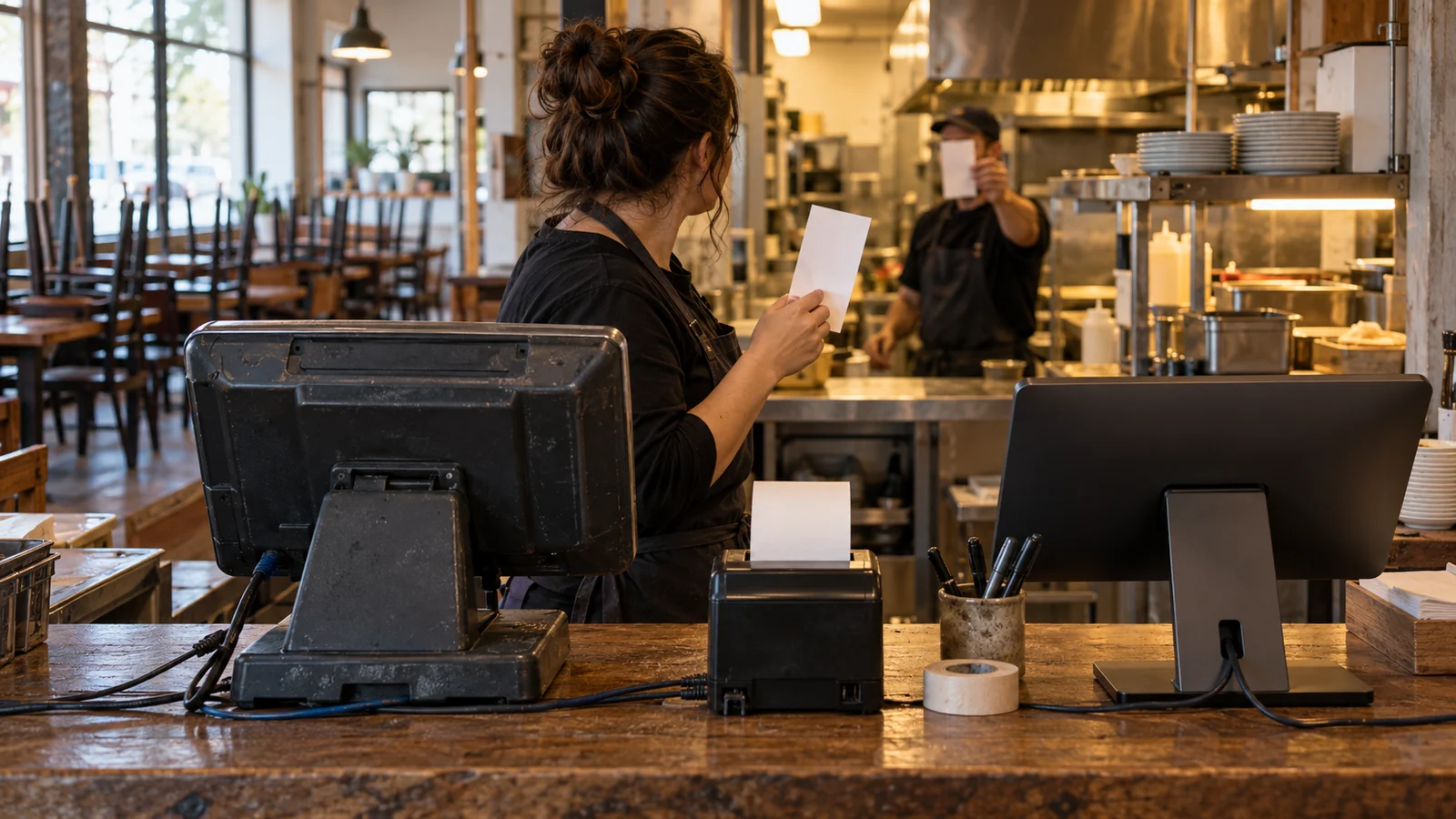
Use this restaurant POS migration risk checklist before you cancel your current system or commit to its replacement. The goal is practical: get usable records out, make the new setup work through a real service, and know exactly what happens if you need to stop the switch. Here is how to assess Toast, Lightspeed, and TouchBistro without confusing a product feature with a migration commitment.
30-Second Read
For a counter-service restaurant, consider Toast if its documented combination of delivery integrations, kitchen connectivity, and offline ordering fits your service, but make a successful export and import test a condition of switching. For a restaurant group, consider Lightspeed if location-level reporting, shared menu updates, and location permissions address your daily work, with migration scope confirmed for your exact product. Consider TouchBistro if you need guided onboarding, menu setup, and staff training, while separately checking which historical records and balances will move.
Migration risks: what actually breaks
Start with the awkward transactions. A burger with substitutions. A delivery order that needs a refund. A gift card issued before the switch. Put those into the acceptance test before anyone schedules installation.
ConnectPOS identifies sales history, loyalty records, refunds, taxes, and inventory counts as migration areas needing particular care. Its article concerns retail migration, so use those categories to build questions for your restaurant rather than as proof of any restaurant vendor's capabilities.
A restaurant-specific checklist from FloPOS covers menu exports, modifiers, printers, kitchen displays, taxes, payments, training, backups, and a rush-hour pilot. FloPOS sells POS software; its checklist is useful for planning tests, but does not establish what Toast will export from your account.
Organize your review around records, workflows, and recovery. For records, ask whether the destination can use the files you receive. For workflows, ask whether an order reaches the correct station and closes correctly. For recovery, ask who can pause the change and how service continues.
Do this whether you are reacting to a vendor's product direction, changing your service model, or simply reviewing alternatives. This comparison makes no claim that any of these vendors is discontinuing your system or forcing a migration.
Side-by-side comparison: documented capabilities and open questions
Read each documented capability as a starting point for a demonstration. The questions in the final row are recommended checks, not statements that a vendor lacks the feature.
| Migration concern | Toast | Lightspeed Restaurant | TouchBistro |
|---|---|---|---|
| Reporting and export detail | The linked QSR page describes reporting but does not specify a complete outbound migration dataset. Product page | The linked Restaurant QSR page describes reports by location and across the business, but does not specify a complete outbound migration dataset. Product page | The reporting page explicitly describes sales-data export options and accounting integrations, without detailing a complete migration dataset. Reporting page |
| Menu and ordering workflows | Describes menu updates from terminals or remotely, plus delivery orders sent to the POS. Product page | Describes custom combos, delivery integrations, and menu updates across locations. Product page | Describes remote menu management, modifiers, and scheduled menus. POS page |
| Continuity statements | Says offline mode supports card taking and kitchen orders; its hardware page describes cellular backup through Toast Router. QSR, hardware | Lists offline mode for quick-service operations. The linked page does not detail payment limits or reconnection behavior. Product page | Says offline operation requires the correct hardware and covers taking and closing orders, KDS routing, and offline payments. POS page |
| Setup assistance | Advertises setup assistance. Product page | Describes help with data migration, hardware, payments, and individual onboarding. Product page | Describes a dedicated onboarding manager, installation assistance, menu setup, and front- and back-end training. POS page |
| What to get in writing | Export fields, historical coverage, hardware requirements, and payment recovery procedures. | Exact Restaurant product, import and export scope, integration availability, and location rollout responsibilities. | Export formats and fields, historical import scope, hardware prerequisites, and responsibility for rebuilding menus. |
Data export checklist
Before touching production data, make a migration worksheet. Give each dataset an owner, a destination, an acceptance test, and a decision: import, archive, or rebuild. ConnectPOS recommends cleaning, mapping, testing, and validating data before launch.
Use this as a request list. It does not assume that every system can export every item.
| Dataset to request | What to inspect | Suggested acceptance test |
|---|---|---|
| Menu items and modifiers | Item identifiers, names, prices, modifier relationships, availability, and routing information | Ring representative orders and inspect the kitchen output and guest receipt. |
| Sales and payment history | Date coverage, transaction detail, refunds, discounts, taxes, tips, and tender labels | Reconcile a closed service period against the original reports. |
| Guest and loyalty records | Customer identifiers, duplicates, balances, and available communication-preference fields | Check selected records and document how unmatched accounts will be handled. |
| Gift cards and other outstanding balances | Identifiers, remaining balances, and the proposed redemption process | Demonstrate how a guest uses a balance issued before the change. |
| Inventory | Units, counts, item relationships, and the point when opening quantities become final | Compare the destination's opening quantities with your approved count. |
| Staff and access settings | Employee identifiers, roles, approval permissions, and any records being transferred | Have staff test their actual roles, including manager-only actions. |
Keep an untouched copy of each export. Do cleanup and field mapping on a working copy, and record changes so your bookkeeper can follow them.
Ask the receiving vendor to inspect a sample before promising a full import. Have it identify rejected fields and records, explain how duplicates are handled, and show you where imported history appears. Then ask whether that history is searchable transaction detail or merely a summary.
Do not accept a screenshot of a dashboard as your export test. Open the actual files. Check their date range, location coverage, and readability. Have someone other than the installer locate a transaction and explain the totals.
What Toast documents about exports
The Toast QSR page linked here describes reporting, menu management, and connected operating tools. It does not provide a field-by-field specification for leaving Toast. That page alone is not enough to approve an exit plan.
Ask Toast to demonstrate exports from your account and identify the permissions or assistance required. Request the available file formats, historical coverage, location coverage, and delivery method. Ask separately about menus, modifier relationships, guest records, gift cards, payroll-related records, and transaction history. Do not bundle all of that into a vague request for your data.
If you are moving to Toast, ask the implementation team to mark which source fields it can import, which it will rebuild, and which you will retain only in an archive. Get the same exercise done for any connected service you intend to keep.
For budgeting, Toast's QSR page lists its Point of Sale plan starting at $69 per month. Treat that as a published starting price, not your migration budget or a complete operating quote. Request a proposal covering your hardware, software, processing, integrations, installation, and training requirements.
Get the weekly RestaurantTools digest
Vendor-neutral software comparisons and honest data from our scan of 238,000+ US restaurant websites, deduplicated to 71,000+ unique US locations.
What Lightspeed documents about exports
Lightspeed's Restaurant QSR page describes reporting by location or across the business. It also describes migration assistance. Neither statement specifies which outbound files your account can produce or which historical fields a replacement system can import.
Start by putting the exact Lightspeed Restaurant product and version on the migration worksheet. Ask support to provide the matching export instructions and a sample from that account. Have the destination vendor confirm compatibility with those files before agreeing to a cutover date.
Keep Retail documentation separate. The Lightspeed hardware page linked here is explicitly for Lightspeed Retail. It should not be used to approve a Restaurant hardware purchase or reuse decision.
For a restaurant group, request sample exports from each location you intend to move. Check identifiers and reporting periods, and agree on how the receiving system should represent shared menu items and location-specific variations. These are acceptance requirements to negotiate, not capabilities established by the Restaurant QSR page.
What TouchBistro documents about switching
TouchBistro gives a concrete starting point for the export conversation: its reporting page describes export options and integrations for sharing sales data with a bookkeeper and accounting software. That establishes a sales-data sharing capability. It does not establish a complete export of everything needed to rebuild a restaurant elsewhere.
Ask for sample files and a list of included fields. Check whether transaction detail, modifiers, refunds, taxes, and tips are represented in the form your next system needs. Request separate answers for guest records and outstanding balances.
For restaurants moving to TouchBistro, its POS page describes onboarding management, installation assistance, menu setup, and training. Ask the onboarding manager to turn that description into a written scope with named responsibilities and acceptance tests.
Also review the back office. TouchBistro lists inventory, labor management, kitchen displays, and profit-management tools. If you use those services, ask which records and connections are included in the migration project and which require a separate handoff.
Integrations, hardware, and continuity risks
Build a dependency map around a normal service: where orders originate, where they appear, how they reach the kitchen, how guests pay, and where the totals go afterward. For each connection, record the provider, account owner, required data, and person responsible for testing it.
Toast describes delivery integrations that send orders into its POS. Lightspeed's Restaurant QSR page describes delivery connections and payroll or scheduling integrations. TouchBistro describes back-office integrations for functions including payroll and scheduling. Use those descriptions to identify connections to inspect; do not treat them as confirmation that your current subscription and configuration will transfer.
For hardware, record exact device models, connections, ownership, and proposed disposition. Ask the receiving vendor to approve each device you want to reuse. Have the installer test printers at their actual stations, including modifier text and routing.
Test internet loss separately from migration recovery. Toast describes cellular backup through Toast Router. Lightspeed lists offline mode. TouchBistro says offline operation depends on having the correct hardware. None of these product statements is a substitute for a demonstration on your proposed setup.
Ask the vendor to supervise a connectivity test and show which functions remain available, what happens to pending payments, and how activity reconciles after reconnection. Get any limits and responsibilities in writing.
Include staff access in the rehearsal. Bread's restaurant security checklist flags shared manager passwords and payment tablets connected to guest Wi-Fi as risks. Require named access where supported, test permissions, and ask the installer to document the intended network connections.
Questions to ask before you sign
Send the same questions to each finalist. Ask for answers tied to your proposal and account, with a named person responsible for unresolved items.
- Which records will you export or import, in which formats, and with what historical coverage?
- Which fields, balances, or settings will require manual rebuilding?
- What access remains after cancellation, for how long, and at what cost?
- Which devices and integrations are approved for this exact configuration?
- Who tests ordering, kitchen routing, payments, refunds, reporting, and reconnection?
- What migration, training, installation, overlap, and exit charges belong in the written quote?
- Who can stop the cutover, and who is available during the first live service?
For the budget, build your own worksheet from written quotes. Include internal preparation time, menu review, staff practice, equipment, integration setup, overlapping subscriptions, and support coverage. Mark unknown charges explicitly and resolve them before signing.
Ask your bookkeeper to approve the reporting requirements. Ask your kitchen lead to approve ticket routing. Ask the person who closes the restaurant to test settlement and end-of-day work. The salesperson should not be the only person deciding that the setup is ready.
Go/no-go decision framework
If you run a delivery-heavy counter-service restaurant, consider Toast or Lightspeed based on a demonstration of your actual order flow. Both describe delivery orders reaching the POS, with Lightspeed also documenting consolidated online ordering workflows. Make channel mapping and kitchen routing part of acceptance.
If you run a restaurant group, consider Lightspeed when its documented location reporting, menu updates, and location permissions fit your operating needs. Require a location-specific migration plan before expanding the rollout.
If you need hands-on setup help, consider TouchBistro's documented onboarding, installation, menu setup, and training. Compare the written scope with the assistance included in other proposals rather than assuming the feature description covers every task.
If your main requirement is preserving detailed history or outstanding balances, keep every vendor conditional until sample files and destination behavior pass inspection. A product demonstration cannot answer that question by itself.
Use these recommended gates to make the decision concrete:
| Gate | Go when | Hold when |
|---|---|---|
| Records | Exports open, agreed date ranges are present, and sample imports reconcile. | Files are missing, balances remain unexplained, or important fields have no destination. |
| Service | Staff complete representative orders, corrections, kitchen routing, and closing tasks. | Success depends on an installer performing ordinary staff work. |
| Connections | Each required integration passes its agreed test. | Availability is promised but your configuration has not been demonstrated. |
| Recovery | A named lead can pause the change and follow an agreed continuity procedure. | Nobody owns the stop decision or unresolved transaction handling. |
For rollout planning, Final POS recommends building and testing the replacement alongside the existing system, choosing a low-traffic cutover window, and defining readiness. That is advice from a POS vendor, not a guarantee of uninterrupted service. Agree on how rehearsal transactions are isolated and which system handles live orders.
During the pilot, follow Silverware's recommendation to reconcile daily totals and correct mapping problems before expanding. Assign someone to review discrepancies, record decisions, and confirm that the next service can proceed.
Keep the final stop decision simple: if the restaurant cannot complete the agreed service scenarios or explain its totals, postpone the cutover and fix the specific failure.
Get the weekly RestaurantTools digest
Vendor-neutral software comparisons and honest data from our scan of 238,000+ US restaurant websites, deduplicated to 71,000+ unique US locations.
What real operators say
No independent operator testimonials are quoted in this guide. For a useful reference check, ask each finalist to introduce you to an operator with a similar menu, service model, and migration path.
Ask what needed rebuilding, which records stayed behind, and who handled problems during live service. Request a concrete example of a failed test and how it was resolved. Treat that conversation as a reference for that restaurant's experience, then check your own proposal and configuration.
FAQ
Will I lose sales history and customer data when switching POS systems?
Make preservation an acceptance requirement rather than assuming it is included. Request source files, a destination field map, and a demonstration of imported history. ConnectPOS identifies sales history and loyalty records among the datasets needing extra migration care. Decide which records must remain usable inside the new POS and which can live in an accessible archive.
Does TouchBistro support data exports?
Its reporting page explicitly describes sales-data export options and accounting integrations. The page does not enumerate a complete outbound migration package. Ask for formats, fields, date coverage, and sample files for your account.
Can I reuse my current POS hardware?
Make reuse conditional on written approval of the exact models and configuration. For example, the Lightspeed hardware page cited here concerns Retail, so it does not establish Restaurant compatibility. Include installation and testing in the approval process.
Does offline mode make a POS migration safe?
Do not use it as your sole acceptance criterion. TouchBistro specifies hardware prerequisites for offline operation, while Toast describes cellular backup through its router. Test connectivity loss, then separately test data migration, integration behavior, and the procedure for pausing a cutover.
Should I switch every location at once?
Choose the rollout scope around what your team can test and support. ConnectPOS describes phased migration as a way to reduce risk for retailers with multiple stores, and Silverware recommends fixing reconciliation problems before scaling restaurant pilots. For your restaurant group, require a successful pilot and a documented decision before expanding.
Get practical restaurant software comparisons and operating checklists in the RestaurantTools.ai newsletter.
Disclosure
RestaurantTools.ai publishes vendor-neutral comparisons and may earn commissions through affiliate links. Affiliate relationships do not determine recommendations. Vendors purchasing B2B research have no influence over editorial coverage, rankings, or recommendations, and a purchase does not secure a mention. Product statements above are attributed to their vendors; migration guides from POS sellers are identified as vendor-authored advice.
Sources
- Toast: Quick Service POS System — type: vendor.
- Toast: Restaurant POS Hardware — type: vendor.
- Lightspeed: Quick Service Restaurant POS — type: vendor.
- Lightspeed: Retail POS Hardware — type: vendor.
- TouchBistro: Restaurant Point of Sale — type: vendor.
- TouchBistro: Reporting and Analytics — type: vendor.
- TouchBistro: Back of House Solutions — type: vendor.
- ConnectPOS: POS Data Migration Checklist — type: external; POS vendor-authored guidance.
- FloPOS: Leaving Toast Migration Checklist — type: external; POS vendor-authored guidance.
- Bread: Restaurant POS Security Checklist — type: external; POS vendor-authored guidance.
- Final POS: Switching and Migration Checklist — type: external; POS vendor-authored guidance.
- Silverware: Avoiding Service Disruption During POS Migrations — type: external; POS vendor-authored guidance.
About RestaurantTools.ai Research Team
RestaurantTools.ai is a vendor-neutral comparison platform for restaurant software. Our rankings are grounded in proprietary adoption data from scans of 238,000+ US restaurant websites, deduplicated to 71,000+ unique US locations (see our restaurant technology statistics), pricing verified against vendor pages, and operator reviews - AI-assisted research under strict no-fake-data editorial rules, so independent operators can pick tools without sitting through 5 demos.
You might also like

Best Restaurant POS Support for Independent Owners: Four Systems Compared
Compare the best restaurant POS support for independent owners across service channels, restaurant types, and owner-reported trade-offs.

Best AI Features in Restaurant POS 2026: Platforms Compared
Toast IQ, Square AI, Lightspeed and SpotOn compared: plans from $0-$69/mo, pros and cons, ranked with real adoption data from 235,000+ US restaurant scans.

TouchBistro vs Toast POS for Full-Service Restaurants: Which Fit Makes Sense?
Compare TouchBistro vs Toast POS for full-service independent restaurants, with a practical operator lens for service flow, setup questions, and documentation gaps.