Best Restaurant POS Systems 2026 — Complete Comparison Guide
We compared the top 7 restaurant POS systems using vendor documentation and public pricing pages, published user reviews, and adoption signals from our own scan of US restaurant websites. Here's an honest breakdown of features, pricing, pros, cons, and which system fits your restaurant type — from food trucks to fine dining.
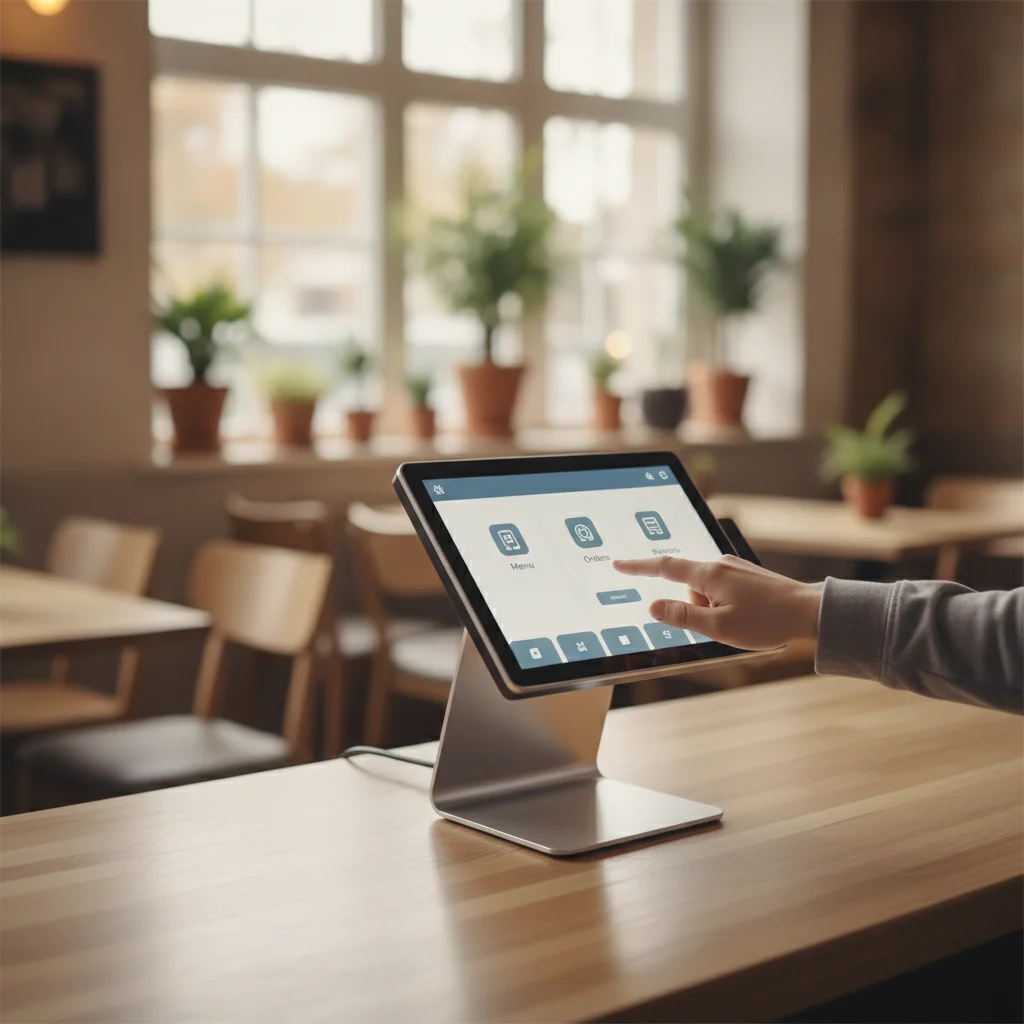
Choosing the right POS system is one of the highest-impact decisions a restaurant owner makes. It touches every part of your operation: how servers take orders, how the kitchen coordinates, how you track inventory, how you pay staff, and how you understand your business through data. Get it right and everything runs smoother. Get it wrong and you're fighting your technology instead of focusing on food and hospitality.
The restaurant POS market in 2026 has matured significantly. AI features are no longer marketing fluff — they're delivering real operational value through predictive staffing, automated inventory management, and intelligent menu optimization. Cloud architecture is standard. Integration ecosystems have expanded. And pricing has become more competitive, with legitimate free tiers from major providers.
This guide is also backed by something no other POS ranking has: real adoption data. RestaurantTools.ai continuously scans 238,000+ US restaurant websites for detectable technology integrations. In our September 2026 scan, deduplicated to 71,239 unique US restaurant locations, we detected technology on 8,962; among those, Toast appears on 41.8%, Square appears on 17.4%, and SpotOn appears on 3.6% (a detected public website signal, not a confirmed contract) — numbers that tell you what operators actually run, not just what vendors advertise. Interestingly, the picture flips by segment: in coffee shops and bakeries, Square leads Toast almost 2 to 1.
We compared each system across six weighted criteria — fifteen factors grouped into the categories below — including restaurant-specific features, ease of use, pricing transparency, hardware flexibility, integration ecosystem, reporting depth, and customer support quality. Here's what we found.
Quick Comparison Table
| POS System | Monthly Price | Hardware From | Best For | Rating |
|---|---|---|---|---|
| 🏆Toast | $0–$165+ | $0 (pay-as-you-go) | Full-service restaurants, multi-location groups, high-volume operations | 4.8/5 |
| Square for Restaurants | $0–$149 | $0 (use your own iPad) | Cafés, quick-service, food trucks, small restaurants, pop-ups | 4.5/5 |
| TouchBistro | $69–$119+ (bundles custom) | Included in $119/mo bundle | Full-service restaurants, bars, and venues that want iPad-based simplicity | 4.3/5 |
| Clover | $89.95–$354 | $849+ (or $0 upfront on 36-mo plans) | Quick-service restaurants, counter-service concepts, small chains | 4.1/5 |
| Lightspeed Restaurant | $69–$399+ | $399 (iPad kit) | Upscale restaurants, hotels, multi-concept groups, international operations | 4.2/5 |
| SkyTab by Shift4 | $29.99/station | $0 (included, lifetime warranty) | New or cash-constrained restaurants, bars, and pizzerias comfortable with processor lock-in | 4.4/5 |
| SpotOn | $0–$55/station | $0 (All-In plan) or $297+ | Full-service restaurants, bars, and breweries that want one platform with flexible terms | 4.2/5 |
How We Evaluated These Systems
This guide combines vendor documentation and public pricing pages, analysis of published user reviews on G2, Capterra, and Reddit, and adoption signals from our own scan of US restaurant websites. Here is the framework we used and the weights we applied:
- •Restaurant-specific features (25%) — Kitchen management, table service, menu flexibility, and order types
- •Ease of use (20%) — Staff training time, interface intuitiveness, and daily workflow efficiency
- •Pricing & value (20%) — Total cost of ownership including hardware, software, and processing
- •Integration ecosystem (15%) — Third-party apps, accounting, delivery, and marketing connections
- •Reporting & analytics (10%) — Depth of insights, real-time data, and AI-powered features
- •Support quality (10%) — Availability, restaurant expertise, and resolution time
We also cross-referenced each system with our AI restaurant tools directory to evaluate how well each POS integrates with the broader AI tooling ecosystem that modern restaurants are adopting.
For the support-quality criterion specifically, see our deeper restaurant POS support comparison for support hours, channels, offline behavior, and pre-contract questions across Toast, Square, TouchBistro, and Clover.
1. Toast
Purpose-built for restaurants, by restaurant people
Monthly Price
$0–$165+
Hardware From
$0 (pay-as-you-go)
Best For
Full-service restaurants, multi-location groups, high-volume operations
Overview
Toast has cemented itself as the dominant POS platform built exclusively for restaurants. Unlike general-purpose systems that bolt on food-service features as an afterthought, Toast was designed from day one by people who understand the chaos of a Friday night dinner rush.
What sets Toast apart is the depth of its restaurant-specific tooling. The kitchen display system doesn't just show orders — it intelligently routes items to the right stations, tracks prep times, and flags tickets that are falling behind. Online ordering is baked directly into the POS rather than running through a separate app, which means your menu, inventory, and reporting stay perfectly synchronized.
For multi-location operators, Toast's centralized management dashboard is a genuine differentiator. You can push menu changes, adjust pricing, and monitor labor costs across every location from a single screen. The payroll integration (Toast Payroll) ties directly into your time-tracking data, which eliminates the manual reconciliation that eats hours every pay period.
The 2026 update brought significant AI enhancements: predictive staffing recommendations based on historical covers and local events, automated 86'd item management that updates your online menu in real-time, and guest sentiment analysis that pulls insights from reviews and feedback across platforms.
✅ Pros
- +Built exclusively for restaurants — every feature is food-service specific
- +Free starter plan with hardware included (pay-as-you-go processing)
- +Exceptional online ordering and delivery management built in
- +Powerful kitchen display system (KDS) with smart ticket routing
- +Robust reporting and real-time labor cost analytics
- +Excellent multi-location management and menu syncing
- +Massive integration ecosystem (700+ partners)
- +24/7 phone and chat support with restaurant-trained agents
❌ Cons
- −Proprietary hardware — you must use Toast terminals
- −Processing rates are non-negotiable (2.49%–2.99% + 15¢)
- −Long-term contracts on some plans (can be 2 years)
- −Add-on features can push monthly costs up significantly
Pricing
Toast offers three main tiers:
**Starter Kit — $0/month**: Includes one terminal, cloud-based POS, payment processing (2.99% + 15¢), basic reporting, and online ordering setup. This is a genuine free option — you pay nothing upfront, but the processing rate is higher to compensate.
**Point of Sale — $69/month**: Adds advanced reporting, API access, multi-location management basics, and a lower processing rate (2.49% + 15¢). Most single-location restaurants land here.
**Build Your Own — $165+/month**: Unlocks the full platform including Toast Payroll, advanced scheduling, guest marketing suite, gift cards, and loyalty. Processing rates are negotiable at this tier for high-volume operators.
Hardware costs range from $0 (pay-as-you-go Starter Kit) to $799+ for full countertop terminals. Handheld devices run $409–$609. There's also a hardware-as-a-service option that spreads costs over your contract term.
Our Verdict
Toast is our top pick for a reason: it's the most complete restaurant POS on the market. If you run a full-service restaurant, multi-location group, or any high-volume operation, Toast gives you the deepest feature set without needing to cobble together integrations. The free Starter Kit makes it accessible for new restaurants, and the platform scales smoothly as you grow. The only real downsides are the proprietary hardware lock-in and non-negotiable processing rates on lower tiers — but for most operators, the operational efficiency gains far outweigh those costs.
2. Square for Restaurants
Flexible, affordable, and incredibly easy to set up
Monthly Price
$0–$149
Hardware From
$0 (use your own iPad)
Best For
Cafés, quick-service, food trucks, small restaurants, pop-ups
Overview
Square for Restaurants is the easiest POS to get started with, period. If you're opening a café, running a food truck, or launching a quick-service concept, Square lets you go from signup to taking orders in under an hour. The free tier is genuinely usable — not a stripped-down demo — and the iPad-based setup means you're not locked into expensive proprietary hardware.
Square's strength is its broader ecosystem. Because it started as a payments company, the financial tools are best-in-class: real-time cash flow tracking, automatic tax calculations, integrated payroll, and a lending product (Square Loans) that uses your sales data to offer fast funding. For small operators who wear every hat, this all-in-one financial platform is incredibly valuable.
The restaurant-specific features are solid but not as deep as Toast's. Table management works but lacks the sophistication of dedicated systems. The KDS is functional but basic. Where Square shines is in its simplicity — your staff will learn it in minutes, not days.
The 2026 updates added AI-powered menu suggestions based on sales trends, automatic inventory alerts, and improved reporting dashboards with comp-set benchmarking for Square Plus subscribers.
✅ Pros
- +Genuinely free plan that's usable for small operations
- +Works on your existing iPad — no proprietary hardware required
- +Dead-simple setup (most restaurants go live within a day)
- +Flat-rate processing (2.6% + 15¢ in person) with no hidden fees
- +Excellent ecosystem: payroll, marketing, loyalty, invoicing all integrated
- +Beautiful, intuitive interface that requires minimal staff training
- +Strong free online ordering through Square Online
❌ Cons
- −Not built specifically for restaurants — some features feel generic
- −Limited kitchen display functionality compared to Toast
- −Advanced features require the Premium plan ($149/mo)
- −Customer support can be slow for non-Premium subscribers
- −Less suited for complex, high-volume full-service restaurants
Pricing
Square for Restaurants has three tiers (vendor pricing re-verified September 17, 2026):
**Free — $0/month**: POS for unlimited locations (one terminal per location), basic restaurant features, Square Online ordering, and standard processing (2.6% + 15¢ in person). Genuinely usable for small operations.
**Plus — $49/month per location**: Adds course management, advanced floor plans, auto-86ing, seat management, live sales tracking, and slightly lower processing (2.5% + 15¢). This is where most sit-down restaurants need to be.
**Premium — $149/month per location**: Lower processing (2.4% + 15¢), 24/7 priority support, and advanced multi-location tools. Makes sense at $250K+ in annual card volume.
Hardware is flexible: use your own iPad ($0), buy a Square Stand ($149), or go with the full Square Register ($799). Square Terminal ($299) works well for tableside payments.
Our Verdict
Square is the best choice for small restaurants, cafés, and quick-service operations that value simplicity and low upfront costs. The free plan is legitimately useful, the setup is effortless, and the broader financial ecosystem is unmatched. It falls short for complex full-service restaurants that need deep kitchen management and advanced table workflows, but for the right operation, it's hard to beat.
3. TouchBistro
iPad-native POS with a strong focus on tableside service
Monthly Price
$69–$119+ (bundles custom)
Hardware From
Included in $119/mo bundle
Best For
Full-service restaurants, bars, and venues that want iPad-based simplicity
Overview
TouchBistro carved out its niche as the iPad-first restaurant POS, and it does that one thing very well. The interface is genuinely beautiful — visual table layouts, drag-and-drop floor plans, and a tableside ordering flow that feels natural. For restaurants that want the tactile simplicity of iPads without the complexity of a full enterprise system, TouchBistro hits a sweet spot.
The offline mode deserves special mention. Unlike cloud-dependent systems that freeze when your internet drops, TouchBistro stores data locally on the iPad and syncs when connectivity returns. For restaurants in older buildings with unreliable WiFi or those in areas with spotty internet, this is a legitimate operational advantage.
TouchBistro's reservation and waitlist system is built in rather than bolted on, which means table status flows directly into your POS workflow. When a party is seated, your servers see it instantly. When a table is closed out, the host knows it's available. This tight integration reduces miscommunication during busy services.
However, TouchBistro's ecosystem is narrower than Toast's or Square's. Online ordering, loyalty, and marketing are all paid add-ons rather than integrated features, which pushes the effective monthly cost higher than the base price suggests.
✅ Pros
- +Intuitive iPad interface — staff learn it quickly
- +Strong tableside ordering with visual floor plans
- +Offline mode works reliably (critical for spotty WiFi)
- +Built-in reservations and waitlist management
- +Good integration with major accounting platforms
- +Responsive customer support with restaurant expertise
❌ Cons
- −No free tier — starts at $69/month
- −Online ordering, loyalty, and most modules are paid add-ons (quote-based)
- −Hardware, add-on, and processing prices are no longer published — total cost requires a sales quote
- −Reporting is less detailed than Toast or Square
- −Fewer third-party integrations than competitors
- −Payment processing options are more limited
Pricing
TouchBistro simplified its public pricing in 2026 (vendor pricing re-verified September 17, 2026):
**Point of Sale — from $69/month**: Core POS, menu management, floor plans, staff management, tableside ordering, and reporting. Hardware is required and sold separately (quote-based).
**Essentials Bundle — from $119/month**: Marked "Best Value" by the vendor — POS plus integrated payments plus restaurant-grade hardware included in the monthly price. Payment processing and additional fees apply.
**Custom**: POS, payments, hardware, and the full add-on catalog (online ordering, reservations, loyalty, gift cards, marketing, KDS, inventory, labor) — priced by quote.
Note: TouchBistro no longer publishes hardware prices, individual add-on prices, or payment processing rates — every configuration beyond the base plans requires a sales quote. Budget meaningfully above the sticker price if you need online ordering, reservations, or loyalty.
Our Verdict
TouchBistro is a strong choice for full-service restaurants that prioritize an intuitive iPad experience and need reliable offline functionality. The tableside workflow is excellent. However, the add-on pricing model means the total cost can climb quickly, and the narrower integration ecosystem limits flexibility compared to Toast or Square. Best for operators who value simplicity over extensibility.
4. Clover
Versatile hardware with an open app marketplace
Monthly Price
$89.95–$354
Hardware From
$849+ (or $0 upfront on 36-mo plans)
Best For
Quick-service restaurants, counter-service concepts, small chains
Overview
Clover occupies an interesting middle ground: it's not built exclusively for restaurants like Toast, but it's far more capable than a generic POS. The hardware is genuinely impressive — the Clover Station Duo has a customer-facing screen for tipping and receipts, the Mini is perfect for small counters, and the Flex handheld is ideal for line-busting.
The open app marketplace is Clover's most distinctive feature. With hundreds of third-party apps, you can customize your system for almost any workflow: advanced inventory management, AI-powered scheduling, customer relationship tools, detailed allergen tracking, and more. This modularity is powerful for operators who want to build a tailored system.
The catch is Clover's distribution model. It's sold through banks and independent resellers, which means your experience depends heavily on who you buy from. Some resellers offer excellent support and fair pricing; others lock you into three-year contracts with inflated processing rates. Always buy directly from Clover.com or through a reputable bank partner.
For quick-service and counter-service restaurants, Clover performs well. The order flow is fast, the hardware is reliable, and the tipping interface on the customer-facing screen consistently increases tip percentages. For full-service restaurants with complex table management needs, you'll likely find it limiting.
✅ Pros
- +Sleek, modern hardware that looks great on the counter
- +Open app marketplace with hundreds of add-ons
- +Flexible hardware options from handheld to full station
- +Decent built-in loyalty and rewards program
- +Good for both restaurant and retail (hybrid businesses)
- +Employee management with shift scheduling built in
❌ Cons
- −Sold through resellers — experiences vary dramatically by provider
- −Pricing is confusing and varies by reseller and bank partner
- −Hardware is proprietary and non-transferable
- −Restaurant-specific features are thinner than dedicated systems
- −Some resellers lock you into unfavorable long-term contracts
- −Processing rates can be higher than advertised depending on reseller
Pricing
Clover restructured its restaurant pricing into hardware-inclusive bundles (vendor pricing re-verified September 17, 2026, direct from Clover.com):
**Full-service restaurant plans**: Starter $179/month on a 36-month plan (hardware included) — or $1,799+ hardware upfront plus $89.95/month software. Standard $239/month (or $2,548+ upfront + $109.90/month). Advanced $354/month (or $4,447+ upfront + $129.85/month).
**Quick-service restaurant plans**: Starter $135/month on a 36-month plan (or $849+ upfront + $89.95/month). Standard $185/month (or $1,899+ upfront + $89.95/month). Advanced $245/month (or $2,648+ upfront + $109.90/month).
**Processing**: 2.3% + 10¢ card-present, 3.5% + 10¢ keyed-in — among the lowest published card-present rates in this comparison.
⚠️ **Warning**: Pricing through resellers may differ significantly. Always compare the direct Clover.com pricing with any reseller quote.
Our Verdict
Clover is a solid choice for quick-service and counter-service restaurants that value attractive hardware and customization through its app marketplace. The customer-facing display is excellent for the guest experience. However, the reseller distribution model creates real risks around pricing and contracts, and the restaurant-specific features don't match Toast or even Square for Restaurants. Buy direct and you'll have a good experience; buy through the wrong reseller and you might regret it.
5. Lightspeed Restaurant
Enterprise-grade features with strong international support
Monthly Price
$69–$399+
Hardware From
$399 (iPad kit)
Best For
Upscale restaurants, hotels, multi-concept groups, international operations
Overview
Lightspeed Restaurant targets the upper end of the market: upscale dining, boutique hotel restaurants, multi-concept groups, and international operations. If you run a fine-dining restaurant with complex coursing, detailed wine inventory, and multi-language staff, Lightspeed speaks your language.
The floor plan and table management system is genuinely sophisticated. You can create detailed visual layouts with sections, manage courses per table, track seat-level ordering, and manage bar tabs with full flexibility. For high-touch service where timing and coordination matter, Lightspeed gives your front-of-house team real precision.
Inventory management goes deeper than most POS systems, tracking ingredients rather than just finished menu items. You can set par levels for individual components, track recipe costs in real-time, and generate purchase orders automatically when stock runs low. For restaurants serious about food cost control, this level of detail is valuable.
The international angle is a genuine differentiator. Lightspeed operates across North America, Europe, and Asia-Pacific with proper multi-currency support, local payment integrations, and interfaces in multiple languages. For restaurant groups with international locations, this avoids the headache of running different POS systems in different markets.
The 2026 product updates focused on AI-assisted menu engineering (suggesting price adjustments based on item profitability and popularity), advanced labor forecasting, and improved integration with delivery aggregators.
✅ Pros
- +Advanced floor plan management with section and course controls
- +Excellent multi-location and multi-concept support
- +Strong inventory management with ingredient-level tracking
- +International support with multi-currency and multi-language
- +Beautiful, detailed reporting and analytics
- +Good integration with hotel PMS systems
- +Raw bar and prep station workflow management
❌ Cons
- −Higher price point — no free tier available
- −Steeper learning curve than Square or Clover
- −Customer support response times can be inconsistent
- −Some advanced features are locked behind the highest tier
- −iPad only — no proprietary hardware option (pro or con depending on preference)
- −Onboarding and setup takes longer than competitors
Pricing
Lightspeed Restaurant offers tiered pricing (vendor pricing re-verified September 17, 2026):
**Starter — $69/month**: Core POS, menu management, floor plans, basic reporting, and one register.
**Essential — $189/month**: Adds advanced reporting, multi-location tools, accounting integrations, and API access, plus online ordering.
**Premium — $399/month**: Full platform with advanced inventory, raw bar management, custom reporting, and priority support. Enterprise pricing available by quote.
A Kitchen Display System runs $30/screen/month on every plan. Note: Lightspeed's pricing page does not state whether these rates assume monthly or annual billing, and restaurant payment processing rates are not published — confirm both with sales. Hardware starts at $399 for an iPad POS bundle with kitchen printer.
Lightspeed also offers an onboarding package ($500–$2,000) for guided setup, menu import, and staff training — recommended for complex operations.
Our Verdict
Lightspeed Restaurant is the best choice for upscale and complex restaurant operations that need ingredient-level inventory, sophisticated floor management, and international capabilities. It's overkill for a simple café or food truck, and the price reflects the enterprise positioning. But for fine dining, hotels, and multi-concept groups, the depth of features justifies the investment — especially if you're operating across multiple markets.
6. SkyTab by Shift4
Free commercial-grade hardware and every module bundled for $29.99 per station
Monthly Price
$29.99/station
Hardware From
$0 (included, lifetime warranty)
Best For
New or cash-constrained restaurants, bars, and pizzerias comfortable with processor lock-in
Overview
SkyTab — rebranded to Shift4 Dine in May 2026 ("same product, same pricing, same hardware") — is the aggressive value play in restaurant POS. The pitch is simple: $29.99 per station per month, $0 upfront, and everything included. That means commercial-grade hardware with a lifetime warranty, onsite installation by a nationwide technician network, 24/7 in-house support, and a module list that reads like other vendors' add-on price sheets: commission-free online ordering, reservations and waitlist, loyalty and marketing, QR code ordering, even a website builder.
The catch — and it's a real one — is the business model. SkyTab makes its money on payment processing, which is mandatory and runs on a standard 36-month agreement. Shift4 doesn't publish its rates (third-party analyses report a flat ~2.75% + 15¢, negotiable to interchange-plus at higher volume), and there are annual per-device fees on top of the advertised subscription. The Advantage Program lets you surcharge card fees to guests, which can effectively zero out processing costs where local law allows it.
Hardware is genuinely good: a 15-inch Android workstation with built-in EMV reader, the SkyTab Air handheld with WiFi and 4G, kitchen displays, customer-facing screens, and self-service kiosks. New customers currently get a signup bonus of up to $5,000 (conditional on $30,000/month in card volume for the first two months) and a 30-day risk-free trial.
Review platforms tell a split story: Capterra users (4.7/5) love the value and simplicity, while G2 reviewers (3.2/5) report billing discrepancies and bugs. Read your contract carefully — the fine print is where this deal gets more expensive than $29.99.
✅ Pros
- +Zero upfront cost: commercial-grade hardware, onsite installation, training, and lifetime warranty all inside $29.99/month per station
- +Modules competitors sell as add-ons are free — online ordering (commission-free), reservations and waitlist, loyalty, marketing, QR order & pay, website builder
- +Free UberEats, GrubHub, and DoorDash integrations
- +Easy to learn and run — Capterra rates it 4.7/5 across 60 reviews
- +24/7/365 in-house support at no extra charge, praised for fast response
- +Advantage Program surcharging can offset card processing fees entirely
❌ Cons
- −Mandatory Shift4 payment processing — no processor choice, standard 36-month agreement with early-termination fees
- −Processing rates are not published (third parties report ~2.75% + 15¢, negotiable at volume)
- −Annual per-device fees beyond the advertised price (program fee plus $190–$325 regulatory fee per device, per third-party reports)
- −Ratings split sharply: Capterra 4.7/5 but G2 only 3.2/5, with complaints about billing errors and bugs
Pricing
SkyTab pricing is one flat subscription plus processing (vendor pricing re-verified September 17, 2026):
**POS subscription — $29.99/month per station, $0 upfront**: Includes hardware (lifetime warranty), onsite installation, 24/7 support, online ordering, reservations, loyalty, marketing, QR ordering, and website builder.
**Payment processing (mandatory)**: Not published officially. Third-party analyses report ~2.75% + 15¢ flat, negotiable to interchange-plus above roughly $30K/month in volume. The Advantage Program (surcharging) can offset these fees where permitted.
**Annual fees (third-party reported)**: Program fee around $250/device (capped at $1,000) plus a $190–$325 regulatory fee per device per year — sources differ on exact amounts because Shift4 doesn't publish them.
**Promotions**: Signup bonus up to $5,000 (requires $30K/month card volume in the first two months) and a 30-day risk-free trial.
Example total cost from a Shift4 partner: a small café processing $20K/month in cards pays roughly $22,000 over the 36-month term, all-in.
Our Verdict
SkyTab is the best $0-upfront entry point among major restaurant POS systems — if you accept the trade. You get hardware, installation, support, and a full module suite for a flat $29.99 per station, in exchange for a 36-month commitment to Shift4 processing at rates you'll need to negotiate. For new or cash-constrained openings, that trade is often worth it. Avoid it if you want freedom to choose your payment processor, hate long contracts, or need deeply customizable reporting.
7. SpotOn
Flexible pricing with a genuinely free all-in plan
Monthly Price
$0–$55/station
Hardware From
$0 (All-In plan) or $297+
Best For
Full-service restaurants, bars, and breweries that want one platform with flexible terms
Overview
SpotOn has quietly become the strongest challenger brand in full-service restaurant POS. Our scan detects SpotOn on 319 of 71,239 unique US restaurant locations (3.6% of the 8,962 with detected technology, September 2026 scan) — the third most-detected restaurant POS platform in our report, after Toast and Square; a detected website signal, not a confirmed contract — with a clear skew toward independent full-service restaurants, sports bars, and breweries.
The platform bundles what those operators actually need: POS terminals and sub-1-pound handhelds, kitchen displays, commission-free online ordering, built-in reservations and waitlist, labor scheduling measured against projected versus actual sales, and marketing tools. An AI menu assistant handles bulk menu changes without item-by-item editing, and an automatic offline mode keeps cards flowing when the internet drops.
What genuinely differentiates SpotOn is pricing honesty through choice. The All-In plan is $0/station per month with hardware included — you pay through higher processing (2.79% + 20¢) on a two-year term. POS Essentials flips the trade: $55/station per month, lower processing (2.45% + 15¢), month-to-month terms, and discounted hardware. Multi-unit groups get custom "Build Your Own" pricing.
The watch-outs are contractual: leaving SpotOn's processing later costs $995 plus a doubled software license, reviewers advise auditing monthly statements, and developers will find the integration story weak — no self-serve API portal, and one G2 reviewer waited 26 days for API access.
✅ Pros
- +Two honest pricing paths: $0/station with hardware included (higher processing, 2-year term) or $55/station with lower processing and month-to-month terms
- +Commission-free online ordering via SpotOn Order and the GoTo Place consumer app
- +Reservations and waitlist built into the POS — no separate booking vendor needed
- +Labor tools include scheduling against projected sales, a staff app for shift swaps, and automated tip management
- +Support praised on G2 for connecting you to real people instead of bots
- +Reviewers on Capterra rate the platform highly and call it cohesive for daily operations
❌ Cons
- −Switching payment processors later triggers a $995 conversion fee and doubles the software license cost
- −Reviewers report billing discrepancies — check monthly processing statements carefully
- −Customization and reporting depth are limited, and there's no self-serve API portal or sandbox for integrations
- −Some staff report handheld hardware reliability issues during busy service
Pricing
SpotOn offers two transparent plans plus custom enterprise pricing (vendor pricing re-verified September 17, 2026, official pricing page):
**All-In Plan — $0/station per month**: Hardware included. Processing at 2.79% + 20¢ card-present (3.79% + 20¢ keyed). Two-year minimum term and processing minimums apply.
**POS Essentials — $55/station per month**: Lower processing at 2.45% + 15¢ card-present (AmEx 3.19% + 15¢). Month-to-month terms. Discounted hardware: Station 15 at $750, handheld at $297 (regular $495).
**Build Your Own — custom**: For multi-unit, enterprise, and high-volume operations, with custom processing rates.
**Core Bundle add-on — $50/month + 0.20% of processing volume (capped at $200)**: Adds Profit Assist, SpotOn Order online ordering, the GoTo Place app, Marketing Assist, and integrations.
Our Verdict
SpotOn is the right call for independent full-service restaurants, bars, and breweries that want one cohesive platform and appreciate a real choice between $0-entry (pay via processing) and lower rates with monthly flexibility. Its adoption momentum in our own tracking data backs up the reviews. Skip it if you depend on custom API integrations or expect to switch payment processors down the road — the exit costs are real.
How to Choose the Right POS for Your Restaurant
The "best" POS system depends entirely on your restaurant type, service model, budget, and growth plans. Here's a practical decision framework:
🍽️ Full-Service Restaurant (50+ seats)
Go with Toast. You need deep table management, kitchen display routing, multi-course timing, and robust reporting. Toast's restaurant-native architecture handles the complexity of full-service operations better than any competitor. The multi-location tools scale smoothly as you grow.
☕ Café or Quick-Service
Go with Square. You value speed, simplicity, and low cost. Square's free tier is legitimate, the iPad setup takes minutes, and the broader financial ecosystem (payroll, banking, lending) is perfect for small operators wearing every hat.
🚚 Food Truck or Pop-Up
Go with Square. Portability, no upfront costs, and works on any iPad. The offline mode on Square Terminal handles dead zones at festivals and events.
🥂 Fine Dining or Upscale
Go with Lightspeed. Ingredient-level inventory, sophisticated coursing, wine management, and multi-language support. If you're running a high-touch dining experience, Lightspeed's precision tools match your standards.
🏨 Hotel Restaurant
Go with Lightspeed. PMS integration, multi-outlet management, and the ability to charge guest rooms directly from the POS. Lightspeed's hospitality integrations are the strongest in this comparison.
🍕 Counter-Service Chain
Consider Clover or Toast. Clover's customer-facing display boosts tips and speeds checkout. Toast's online ordering integration is stronger for delivery-heavy concepts. Pick based on whether hardware aesthetics or digital ordering matters more.
AI Features in Modern POS Systems
2026 marks the year AI in restaurant POS moved from gimmick to genuine utility. Here's what's actually useful versus what's still marketing fluff:
Features Delivering Real Value
- ✓Predictive staffing — Toast and Lightspeed market AI-assisted scheduling based on historical sales data, local events, and weather. Vendor-reported and user-reported savings vary; treat specific percentages as unverified.
- ✓Automated inventory alerts — Real-time tracking that auto-generates purchase orders when items hit par levels. Reduces waste and prevents 86'd items during service.
- ✓Menu engineering insights — AI analysis of item profitability, popularity, and price sensitivity. Helps identify underperforming items and pricing opportunities.
- ✓Fraud detection — Pattern recognition that flags unusual discounts, voids, and comps. Subtle but high-impact for loss prevention.
For a deeper look at the software running modern restaurant operations beyond POS, explore our complete restaurant software directory, covering everything from reservation systems to kitchen robotics and automation.
Frequently Asked Questions
What is the best POS system for a new restaurant in 2026?
For most new restaurants, Toast's Starter Kit is the best choice. You get professional-grade POS hardware for $0 upfront, a genuine free software plan, and room to scale as you grow. If budget is your primary concern and you're running a simple operation, Square's free plan on your own iPad is the most affordable entry point.
How much does a restaurant POS system cost?
Monthly software costs range from $0 (Square and Toast free tiers) to $400+ for enterprise plans. Hardware ranges from $0 (using your own iPad with Square) to $1,600+ for premium terminals. Processing fees are typically 2.5%–3.0% + 10¢–15¢ per transaction. Total first-year cost for a single-location restaurant typically falls between $2,000 and $8,000.
Can I switch POS systems without losing my data?
Yes, but it requires planning. Most POS providers offer data migration assistance for menu items, customer databases, and basic historical data. Full sales history migration varies by provider. Allow 2–4 weeks for migration and staff training. The best time to switch is during a slow period (January/February for most restaurants).
Do I need a POS system or can I use a cash register?
In 2026, a modern POS system is virtually essential for any restaurant processing more than $100K in annual revenue. The operational insights, inventory management, and labor tools pay for themselves many times over. Free options from Toast and Square eliminate the cost argument — there's no reason to operate blind with just a cash register.
What's the difference between a restaurant POS and a retail POS?
Restaurant POS systems handle table management, course timing, kitchen ticket routing, split checks, tip management, and modifier-heavy menu items. Retail POS focuses on barcode scanning, inventory with SKUs, and simpler transactions. Using a retail POS in a restaurant creates friction at every step of service.
How important are AI features in a POS system?
AI features in 2026 POS systems are genuinely useful in three areas: labor optimization through predictive staffing, inventory waste reduction through automated par management, and menu profitability through pricing insights. Specific savings percentages come mostly from vendor marketing and are not independently verified — evaluate the features in your own operation. They're not required, but they're no longer gimmicks.
Ready to Upgrade Your Restaurant POS?
Our top pick, Toast, offers a free Starter Kit with no upfront hardware costs. Try it risk-free and see why it's the #1 choice for restaurants in 2026.
Get Toast Free Starter KitFree plan available. No credit card required.
Related comparisons on RestaurantTools.ai
- Best Restaurant Reservation Systems 2026 — most POS systems have native reservation integrations; compare which booking platforms work best with your POS choice.
- Best AI Chatbot for Restaurants 2026 — a chatbot that surfaces ordering questions needs a POS that serves accurate real-time menu and availability data.
- Restaurant Technology Statistics 2026 — the adoption data behind this guide: which POS systems 235,000+ US restaurants actually run.
- Toast alternatives, Square alternatives and Clover alternatives — side-by-side vendor swaps if your shortlist needs a plan B, or browse the full POS category hub.
Disclosure: Some links in this article are affiliate links. We may earn a commission if you sign up through our links, at no additional cost to you. This does not influence our editorial opinions — we recommend products based on thorough testing and research. See our editorial policy for details.